Solution: Using Rapise to Automate Product & User Creation
The solution is to use Rapise and its data management and API automation capabilities to load in an Excel spreadsheet of users and their products, and then create the products in Spira, adding the users, and automatically associating the user with the product.
You just need to follow these steps:
- Download and install a trial version of Rapise
- Download or Clone the Rapise Import GitHub repository
- Enter in the URL, login, and API for Spira
- Populate the import spreadsheet
- Click the Play button in Rapise to start the process
1. Download and install a trial version of Rapise
Go to the Inflectra website and download a trial version of Rapise:
2. Download or Clone the Rapise Import GitHub repository
Once you have Rapise installed, either Clone or download (as a Zip file) the rapise-loading-data-into-spira GitHub repository:
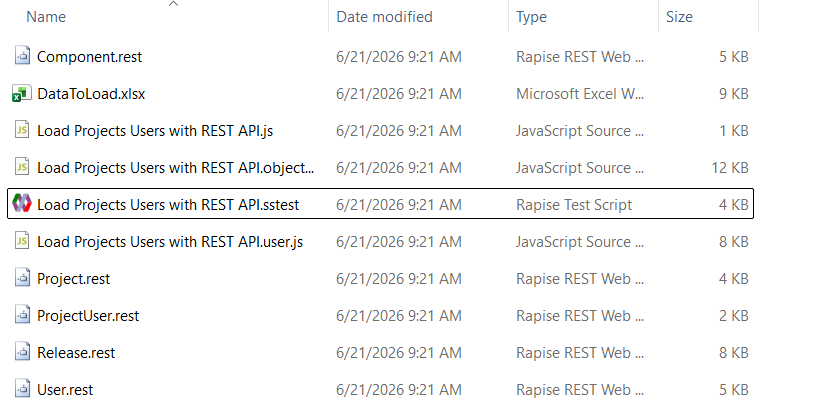
This repository contains a complete Rapise project that is ready to assist with the data loading and automation.
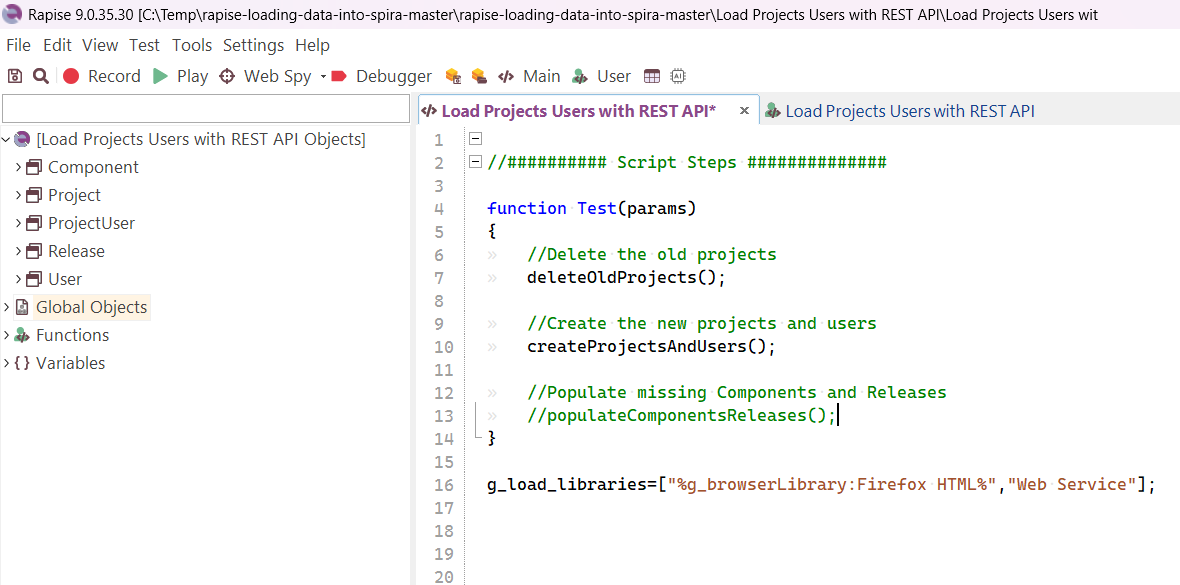
The main Load Projects Users with REST API.js file calls the functions to create the product and users from the embedded Excel spreadsheet. You can also (optionally) delete any existing products, and populate default components and releases on the created products.
3. Enter in the URL, login, and API for Spira
Next, open up the Load Projects Users with REST API.user.js file and enter the API Key for your administrator user. You can also change the default role for the users being added to the newly created products.
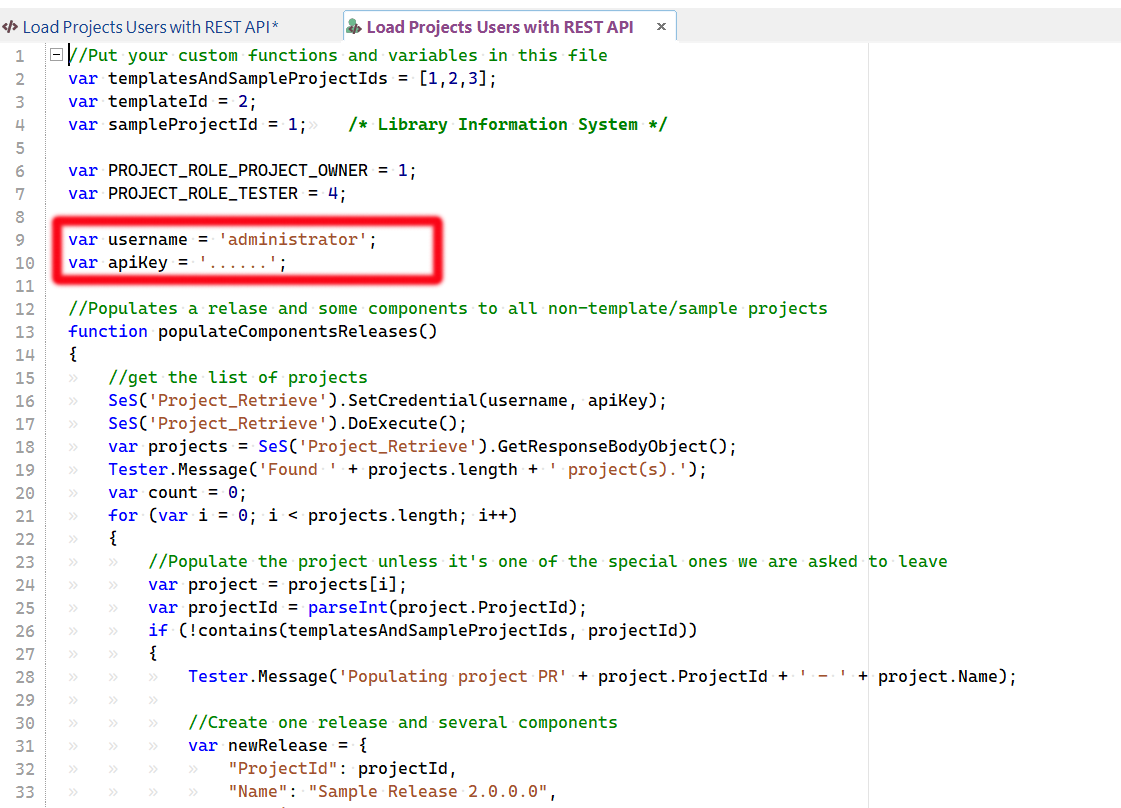
Once that is done, you now need to populate the import spreadsheet.
4. Populate the import spreadsheet
Inside Rapise, click on the Files tab and double-click on the DataToLoad.xlsx file. That brings up the internal Excel editor:
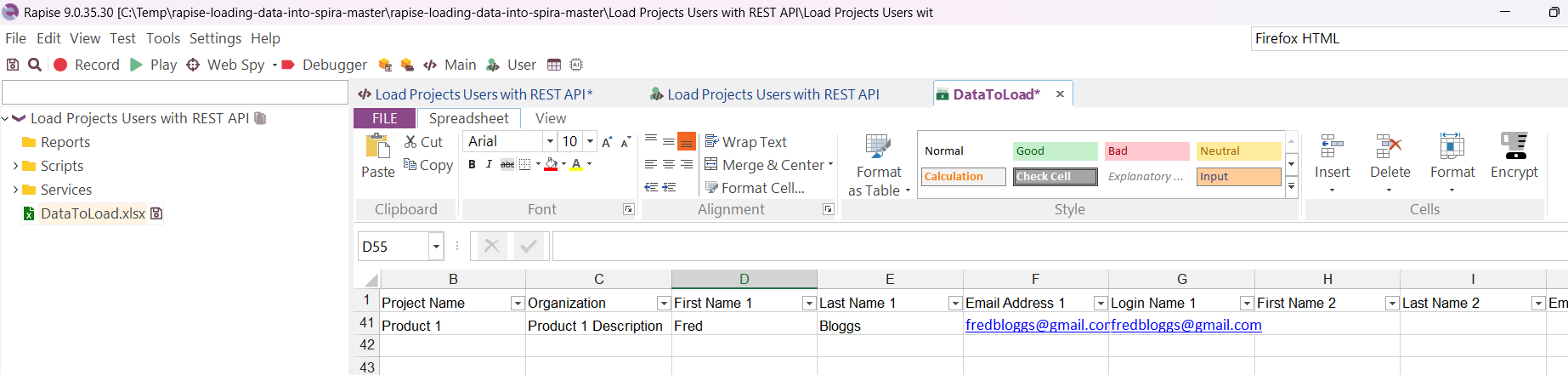
On each row you can enter the Name and Description of the product to be created, and provide 1-2 users that are associated with the product. For each user you need to provide the First Name, Last Name, Email Address and Login (which can also be their email address).
5. Click the Play button in Rapise to start the process
Finally, click the Play button in Rapise, and all of the products and users will be created in your instance of Spira,