XWiki Integration
As enterprises look to modernize their documentation stack and break free from the spiraling licensing costs of legacy platforms like Atlassian Confluence, the combination of XWiki and SpiraPlan is a powerful alternative. Bridging the gap between structured quality assurance and collaborative technical writing, the new SpiraPlan Extension for XWiki seamlessly connects live requirements, test coverage, release milestones, and defect tracking directly into your knowledge base.
What Is XWiki?
XWiki is a powerful, open-source enterprise wiki platform built on Java. It serves as a modern knowledge management system and application platform designed for teams and organizations that need more than just static documentation.
While it functions out-of-the-box as a collaborative wiki, its core architecture allows users to build structured web applications, manage complex content hierarchies, and extend functionality using inline scripts and custom macros.
The core capabilities of XWiki include:
- Dual-Engine Content Editing: Supports a rich WYSIWYG editor (CKEditor) alongside full source editing in Markdown, XHTML, and XWiki Syntax.
- Structured Data Model (XObjects): Allows you to turn standard wiki pages into structured databases by attaching custom data objects (fields, metadata, dropdowns) without database schema changes.
- Granular Access Control: Offers robust Security & Rights Management at the global, space, page, and object/field levels.
- Extensible & Scriptable: Includes built-in support for Groovy, Velocity, and Python scripting directly within pages to automate workflows, query APIs, and build custom applications.
- Enterprise Features: Out-of-the-box support for SAML 2.0 / OpenID Connect / LDAP SSO, PDF/Office exports, live data tables, version history with side-by-side diffs, and an embedded Apache Solr search engine.
XWiki provides a dedicated, production-tested Confluence Migrator (available both open-source and through XWiki Pro) designed to transition spaces from Confluence Cloud, Server, or Data Center.
Spira Extension Functionality Overview
The Spira extension for XWiki provides two main features:
- Embedded Spira Macros: The extension provides two special Spira macros, one that can be used to embed individual Spira artifacts, and one that can embed a table of Spira items that correspond to a specific query or filter
- Spira Theme & Skin: The extension also provides an optional "SpiraPlan" theme and skin that changes the color scheme and navigation bar to match Spira.
To use the features, you first need to install and configure the Spira extension so that it knows how to connect to your instance of SpiraPlan:
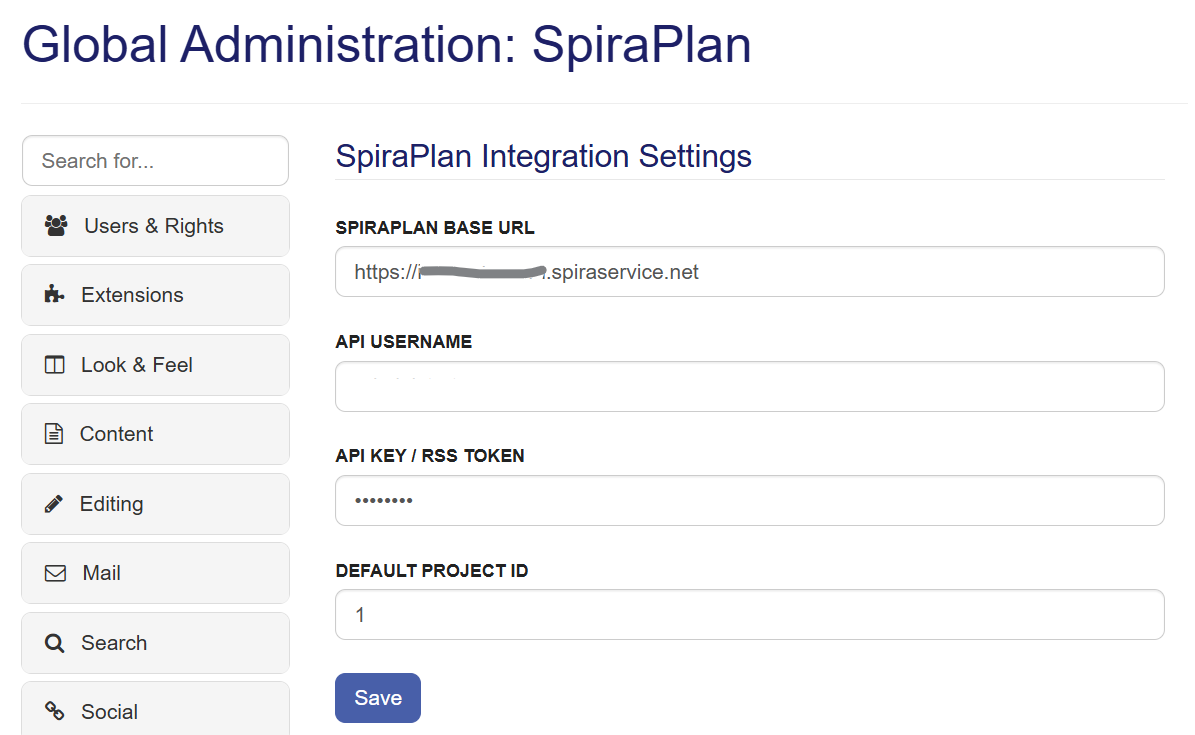
One you have configured the integration, you can also choose to apply the special SpiraPlan theme:
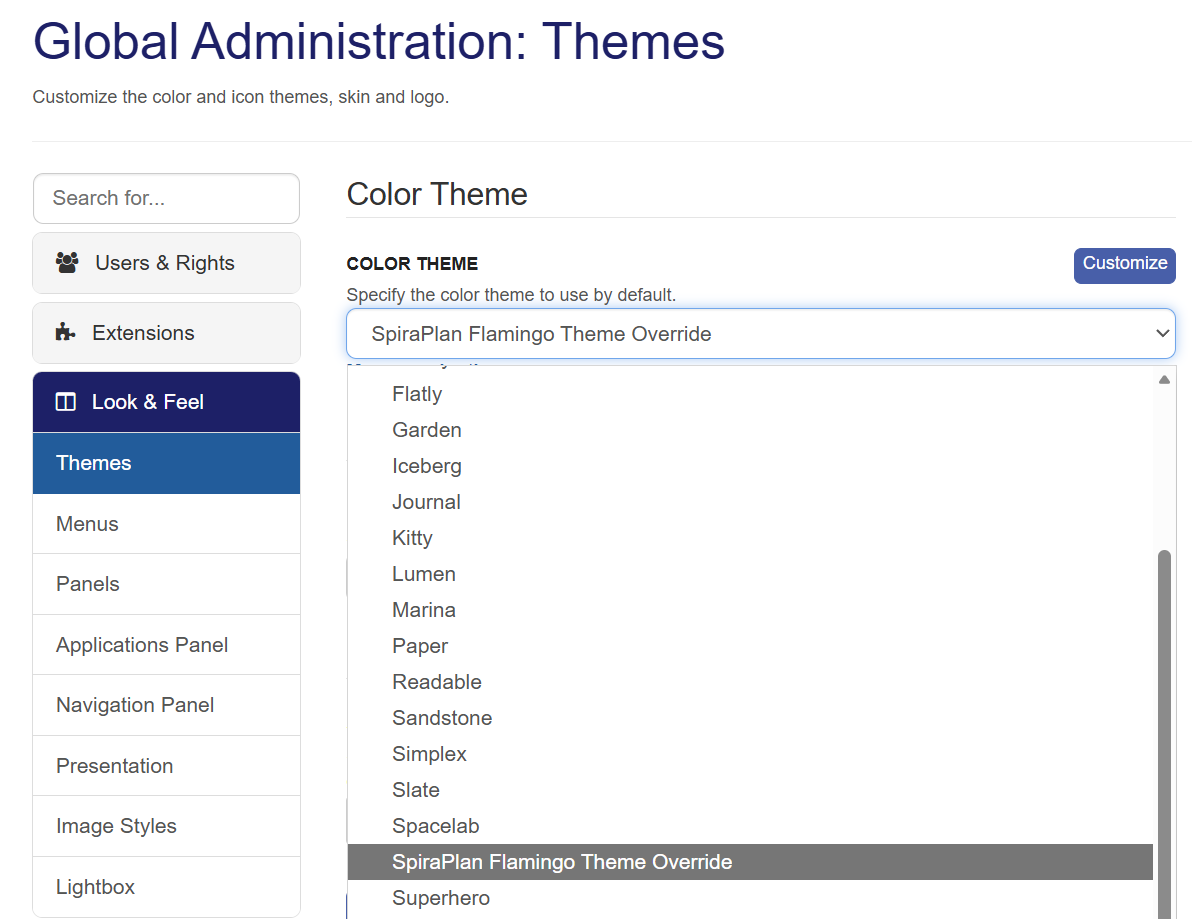
Note that the theme is completely optional; you can use the SpiraPlan special macros with any of the standard or custom XWiki themes.
Once you have configured the integration and (optionally) enabled the theme, you can use the special spira and spiraTable macros to embed Spira specific objects into the wiki pages.
Using the Spira Macro
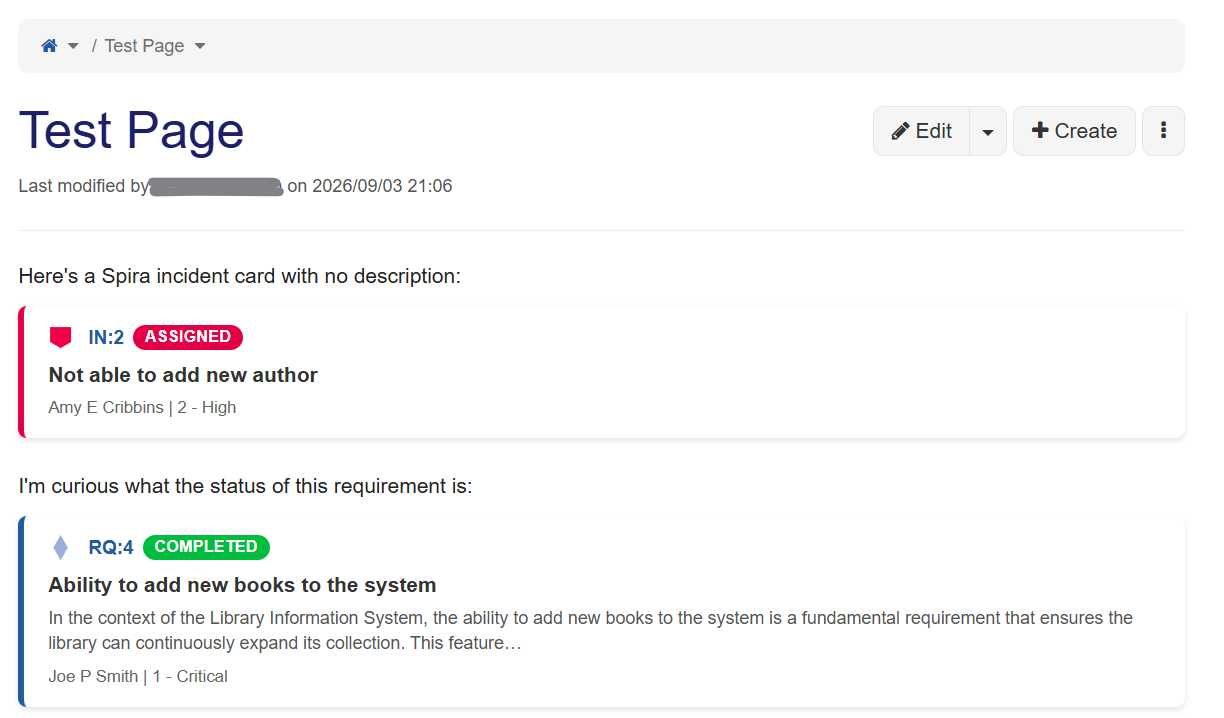
The individual artifact Spira macro allows you to embed individual Spira artifacts as cards/items inside a wiki page:
These artifacts can be embedded either using the incredibly easy to use Macro wizard; all you need is the ID and project of the Spira artifact being embedded. You can choose the display mode (card, inline or table), and you can choose whether to display the detailed description of the artifact, or just the title/name:
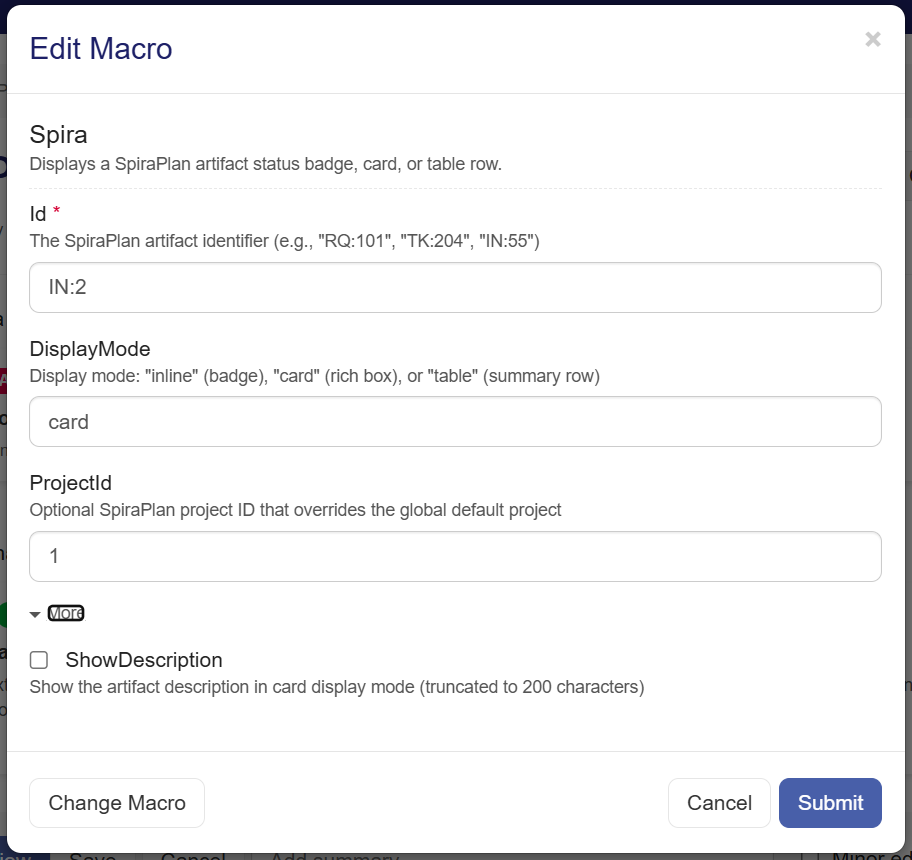
Alternatively, if you are comfortable editing the Wiki syntax directly, the macro code simply contains the ID/token of the appropriate Spira artifact and a Boolean flag denoting if you want to include the description or not.
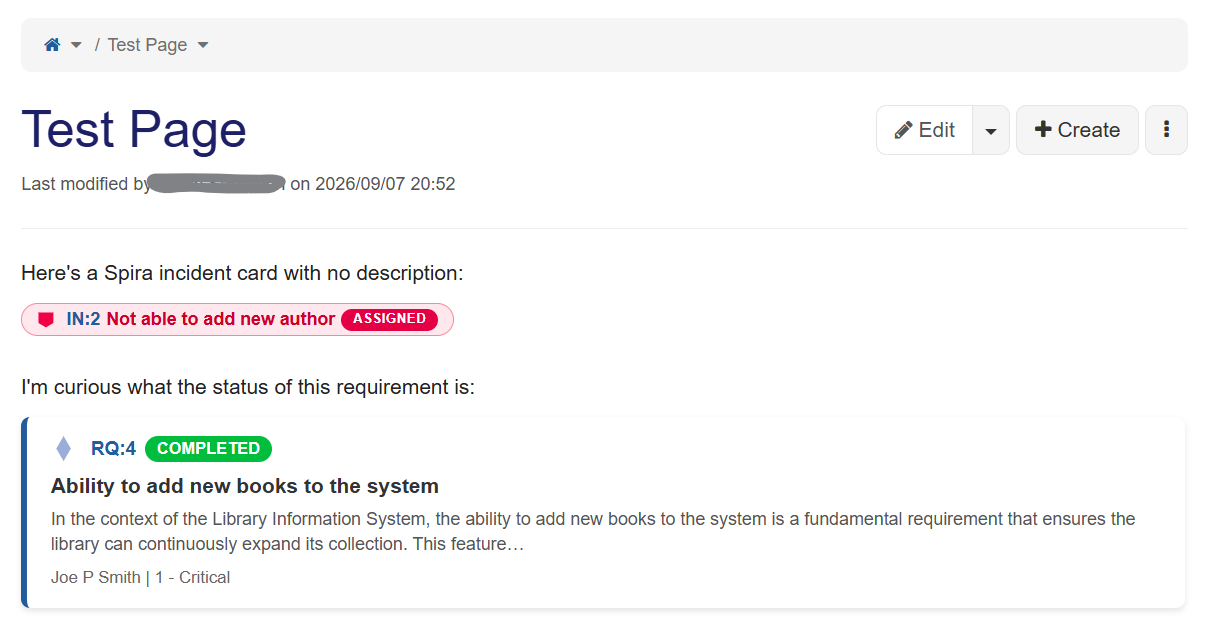
Here's a Spira incident card with no description:
{{spira id="IN:2" displayMode="card" projectId="1"/}}
I'm curious what the status of this requirement is:
{{spira id="RQ:4" displayMode="card" projectId="1" showDescription="true"/}}
In addition to the full "card" display option shown above, you an embed the Spira artifacts in the more compact "inline" view that is great for cases when space is at a premium:
Using the Spira Table Macro
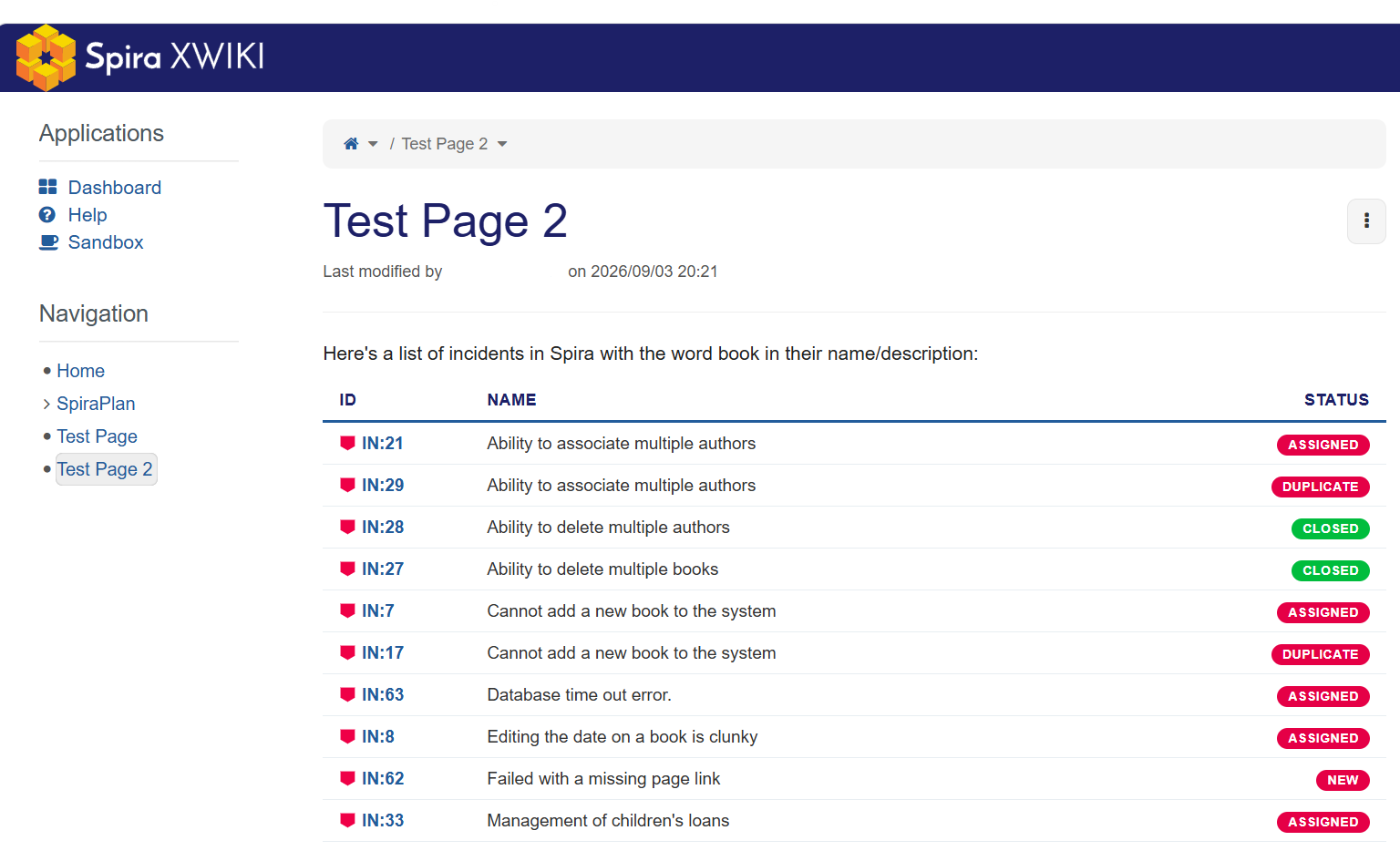
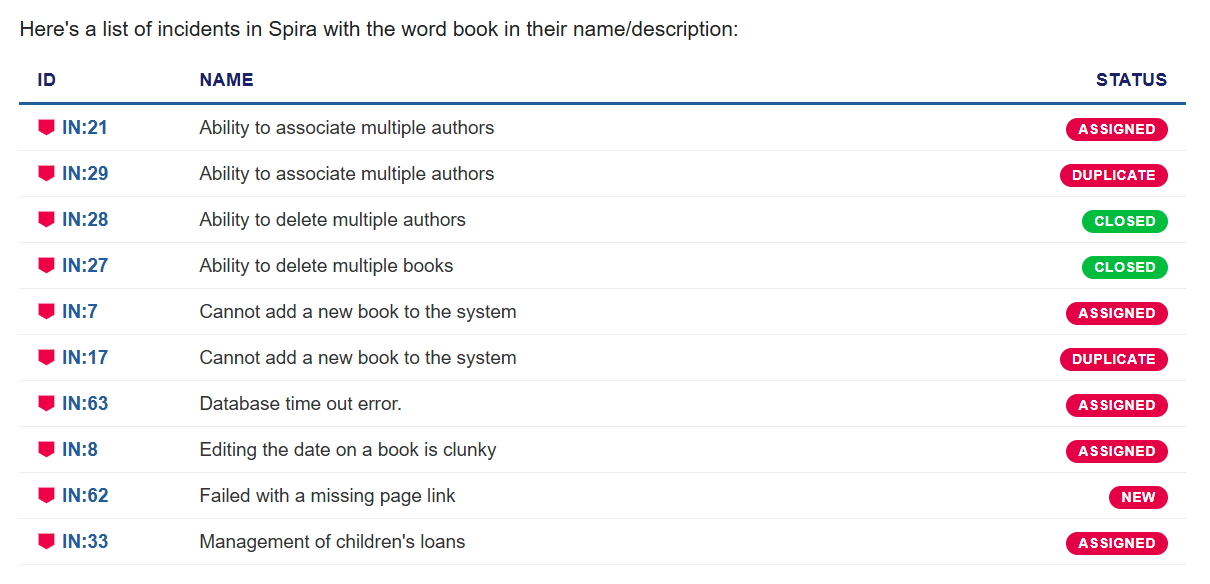
The SpiraTable macro is an additional macro that can be used in XWiki pages to embed tables of specific Spira artifacts. For example, in the image below we are displaying a list of incidents that contain the word "Book" in their name or description:
This can be created using the XWiki Macro wizard and the SpiraPlan Table macro option. This macro allows you to choose the type of Spira artifact being displayed (requirement, incident, task, test cases, test run, test set, risk, automation host or release) and the number of rows to display. It provides two filtering options: firstly the simple name/description text match option as shown below:
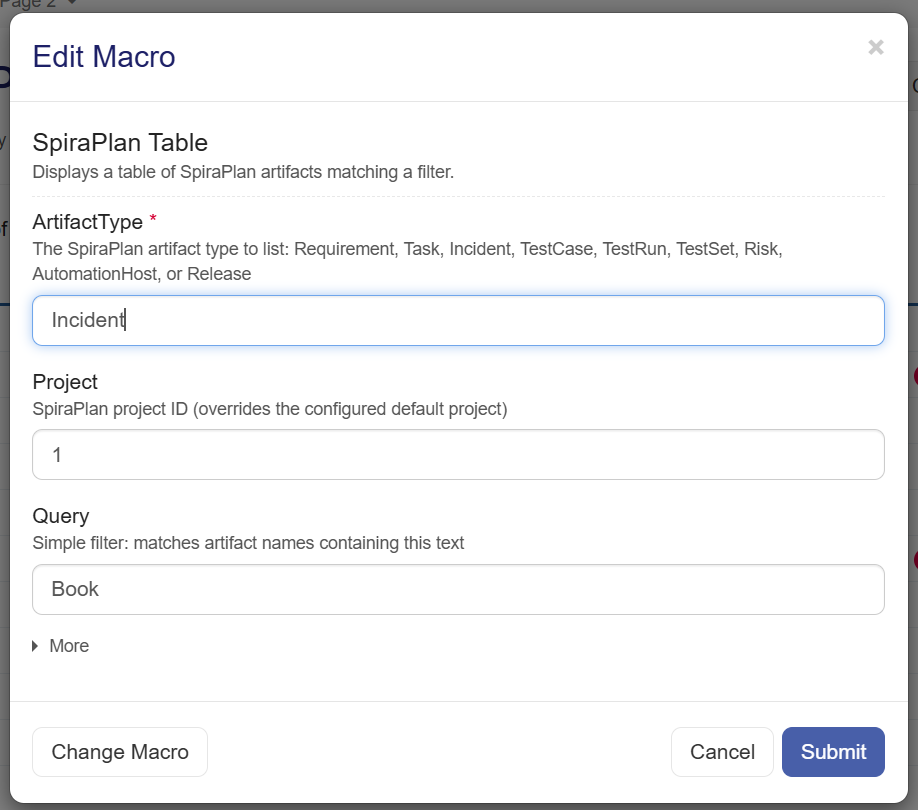
However, in cases where you want to display a table of artifacts based on a more complex query/filter, that is also possible. In the example below, we are displaying the release backlog for a specific product:
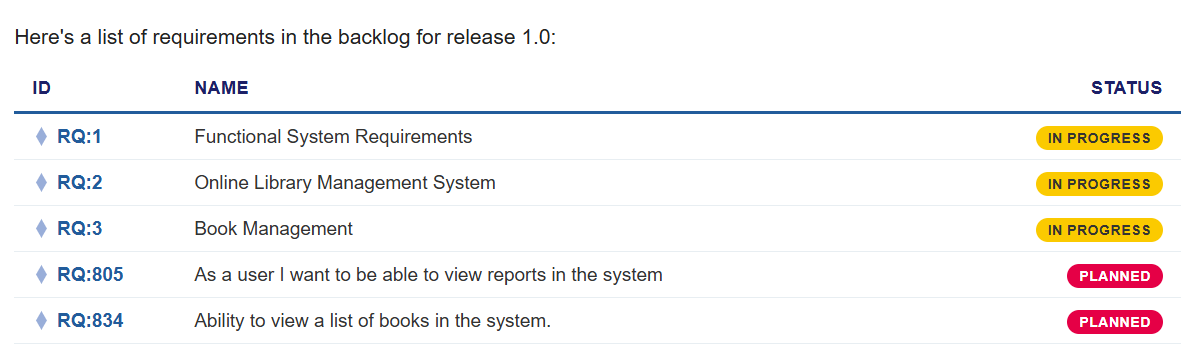
To display the release backlog we are using a compound filter that contains the filter for the Release ID and Status ID of the requirements. That is entered using the standard JSON syntax that matches the RemoteFilters array of objects used by the Spira REST API.
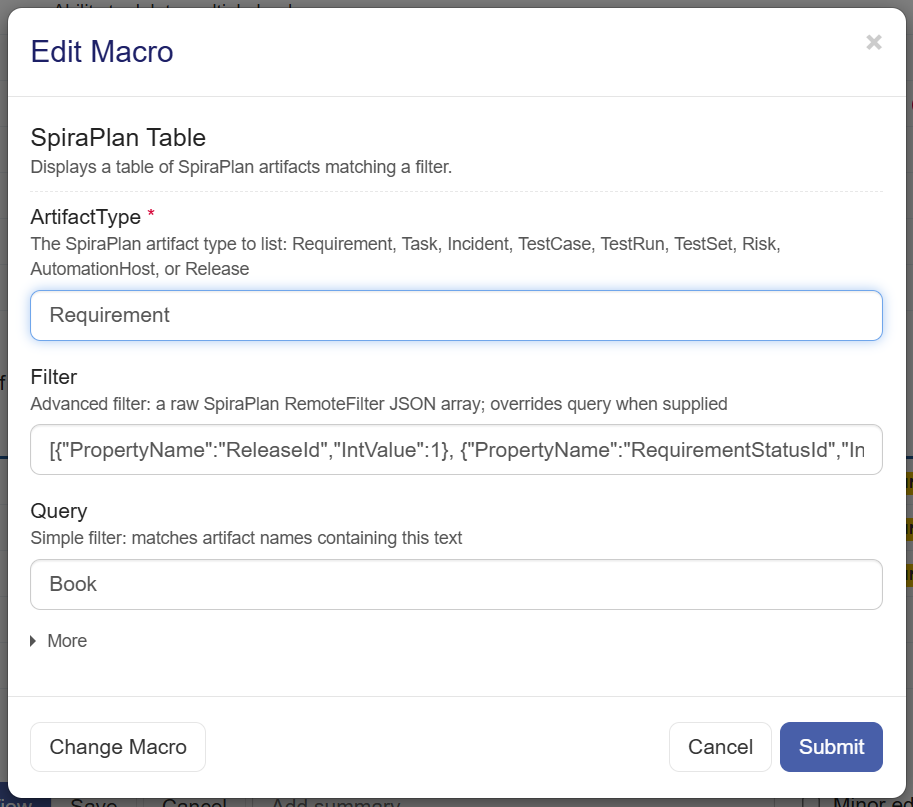
The tables of Spira artifacts can also be embedded by directly using the XWiki macro markup syntax if you prefer:
Here's a list of incidents in Spira with the word book in their name/description:
{{spiraTable artifactType="Incident" project="1" query="Book"/}}
Here's a list of requirements in the backlog for release 1.0:
{{spiraTable artifactType="Requirement" filter="[{~"PropertyName~":~"ReleaseId~",~"IntValue~":1}, {~"PropertyName~":~"RequirementStatusId~",~"IntValue~":2}]" query="Book"/}}
Conclusion
By bringing real-time SpiraPlan artifact views, from single-item inline badges to dynamic, query-driven backlog tables, straight into customizable XWiki pages, engineering and product teams can finally maintain a single source of truth without double-entry, context-switching, or costly third-party marketplace add-ons.
Try SpiraPlan free for 30 days, no credit cards, no contracts
Start My Free TrialAnd if you have any questions, please email or call us at +1 (202) 558-6885