SpiraPlan Features
Enterprise Agile Management
SpiraPlan® provides a complete agile project & program management system for enterprises, that helps you deliver mission critical features at scale and speed without compromising quality.
Below are some of the key features in SpiraPlan. Click on the appropriate feature name to learn more:
Project Management
Project Management
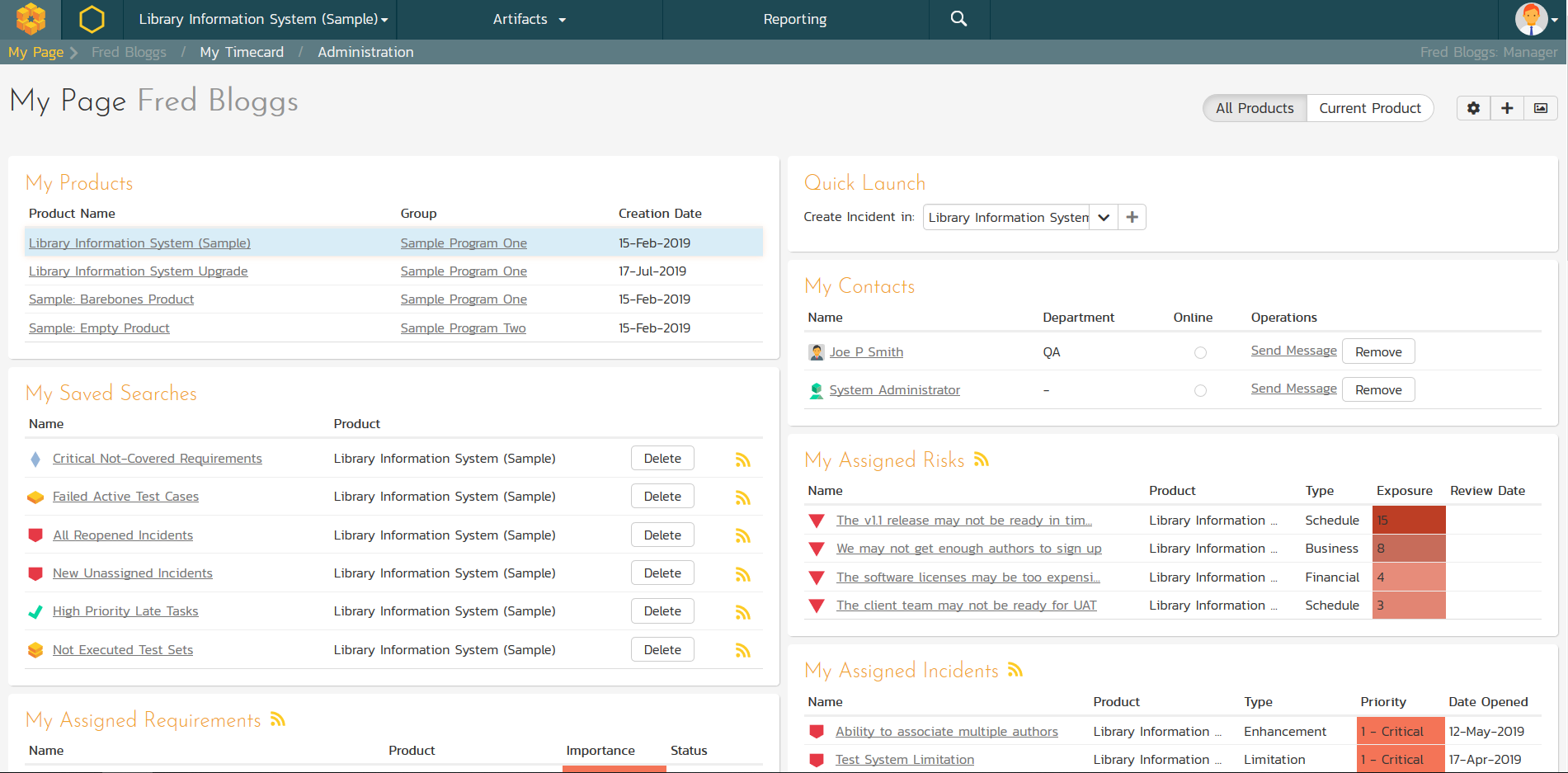
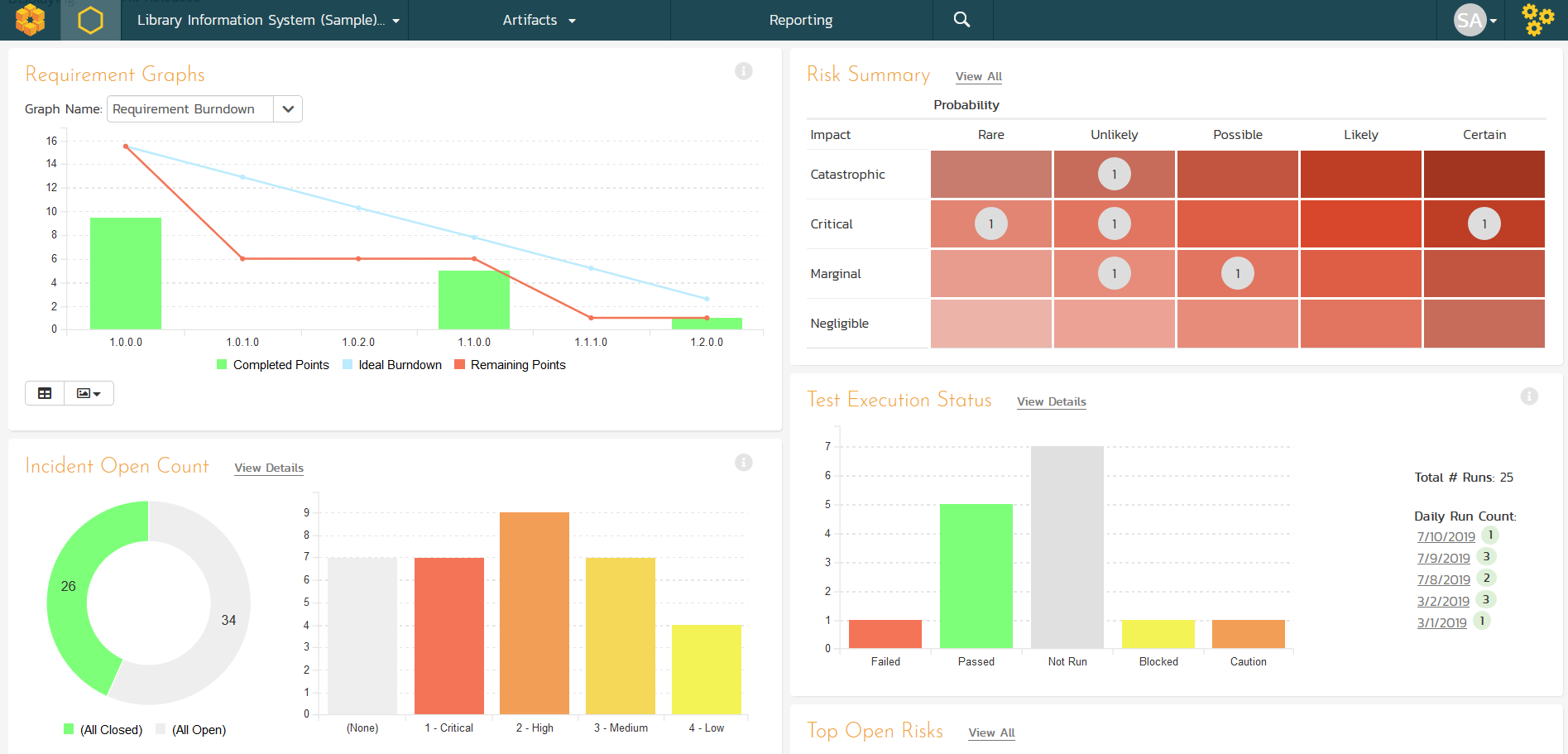
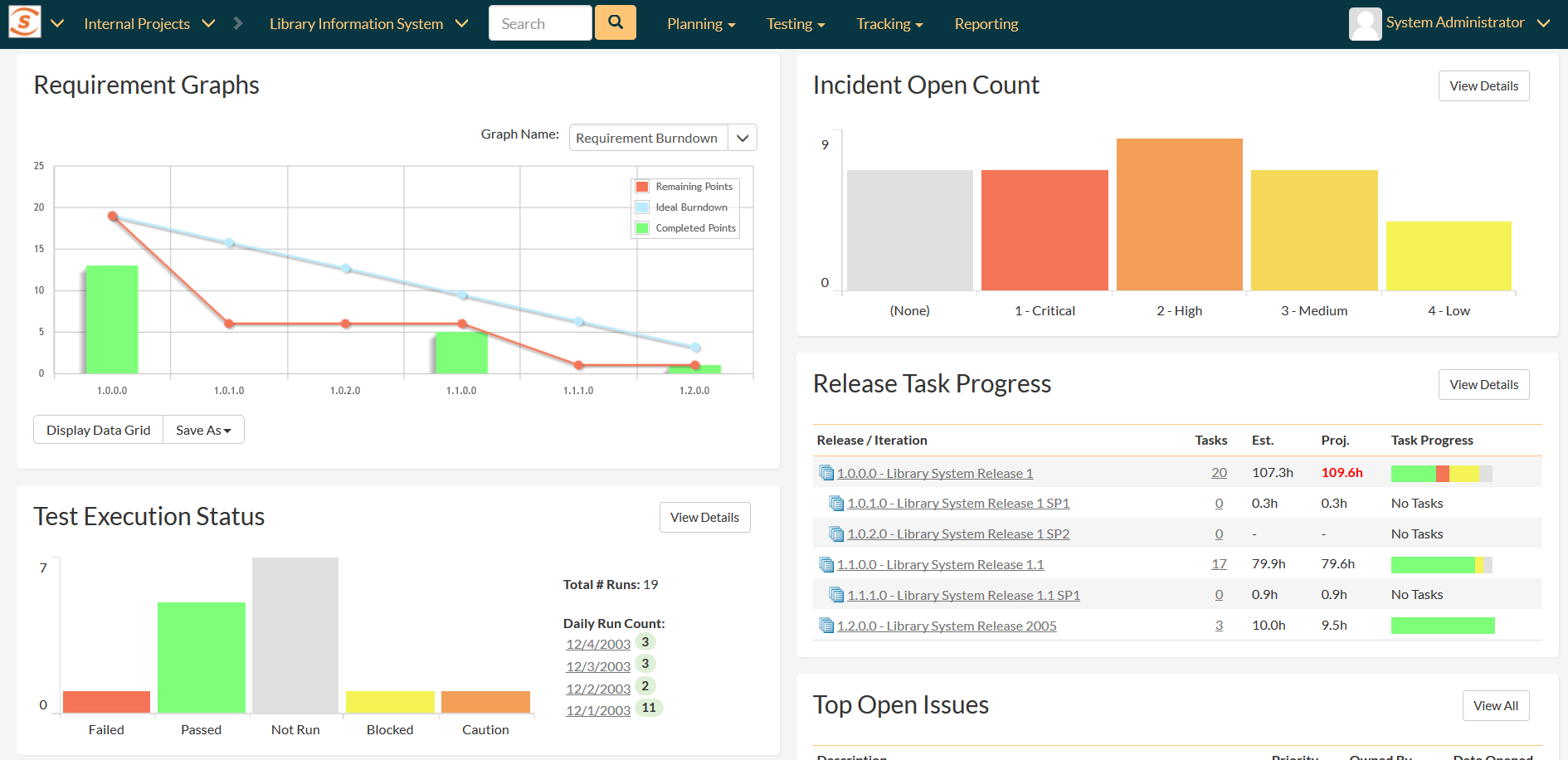
Wish you could see the health of your project on one page? Each project has a dashboard home-page that summarizes all of the information regarding the project into a comprehensive, easily digestible form that provides a “one-stop-shop” for people interested in understanding the overall status of the project at a glance. It contains summary-level information for all types of artifact (requirements, test cases, incidents, etc.) that you can use to drill-down into the appropriate section of the application.
Resource Management
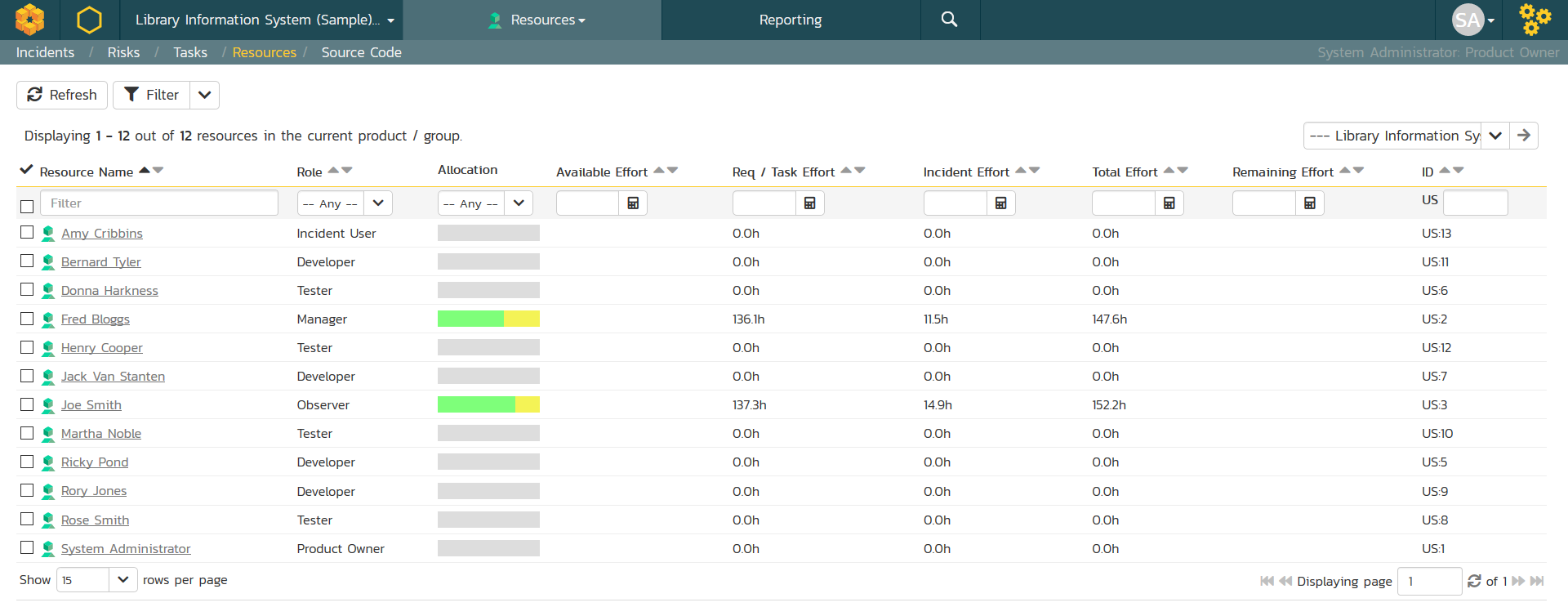
SpiraPlan lets you schedule the team members and load balance the task resourcing allocations. As team members work on their assigned tasks they can update their progress in terms of actual and remaining effort. This provides project managers with real-time visibility on the progress of the iteration and early indications of schedule overrun.
Document Collaboration
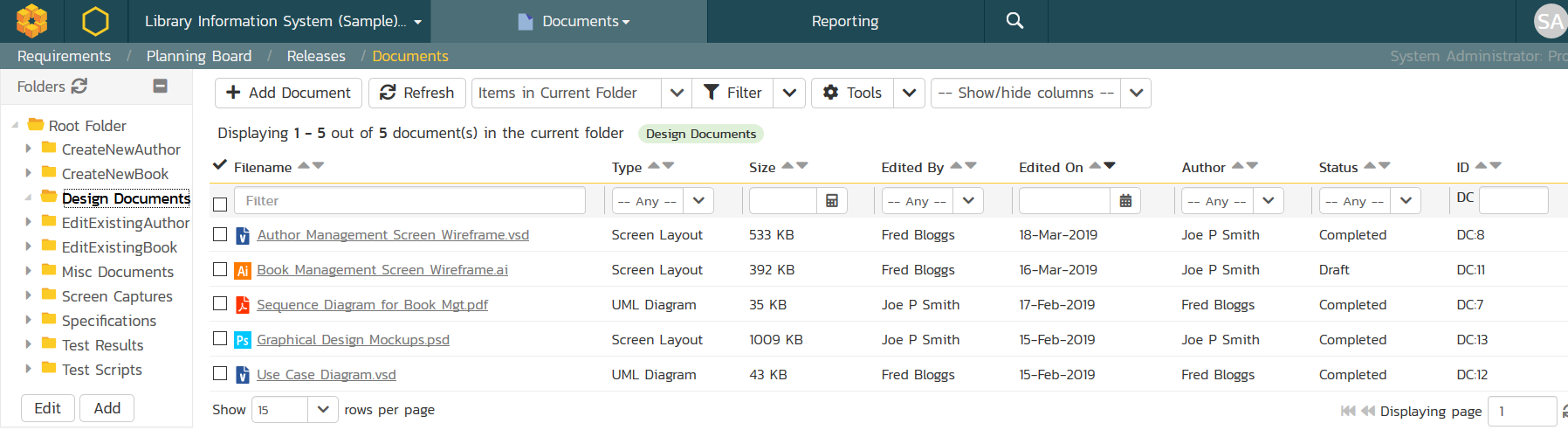
SpiraPlan includes an integrated web-based document management system that allows project members to upload documents in a secure, centralized location, with support for folder organization, documentation taxonomies and meta-tagging as well as built-in version control. Unlike a standalone tool, these documents can then be connected to SpiraPlan artifacts (requirements, tasks, incidents) to provide the complete picture to users.
Rich Content Editing
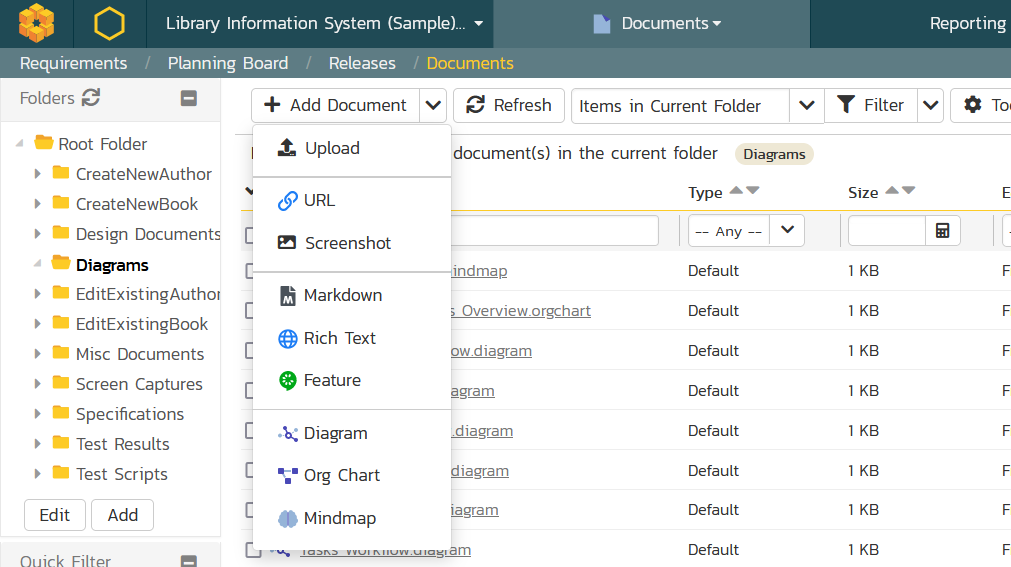
SpiraPlan makes the capturing and collaboration on unstructured content easy. You can author textual content in markdown, rich text, and Gherkin BDD feature-file format as well as create flowcharts, mindmaps and other diagrams directly inside the system. The internal Wiki lets you link pages together, embed diagrams and comes with built-in version tracking and rollback. Finally, there is also a built-in spreadsheet editor for tabular data.
Instant Messaging
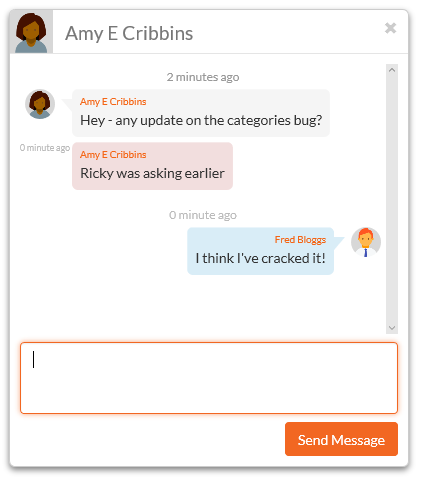
SpiraPlan comes with a build-in integrated instant messaging capability. This lets users see which users are currently logged-into the system, maintain a list of contacts and where available, send short instant messages to other users. Any messages exchanged can then be posted to relevant artifacts in the system as permanent comments.
Program Management
Program Management
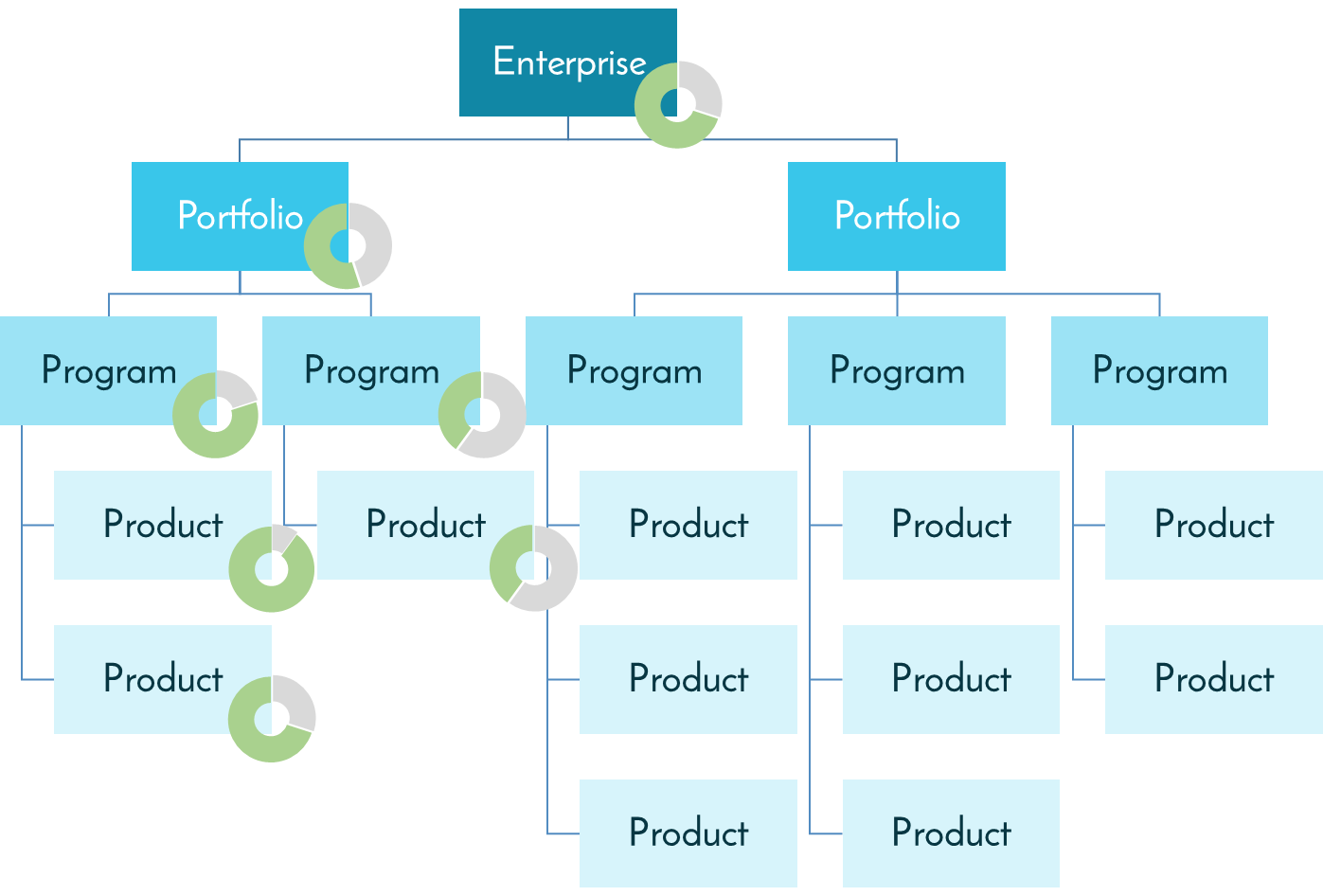
SpiraPlan recognizes that projects are usually part of larger initiatives. SpiraPlan includes program management and program planning features that let you plan and execute multiple projects in parallel, with tools to help you keep track of the progress, milestones, and inter-project dependencies.
Portfolio Management
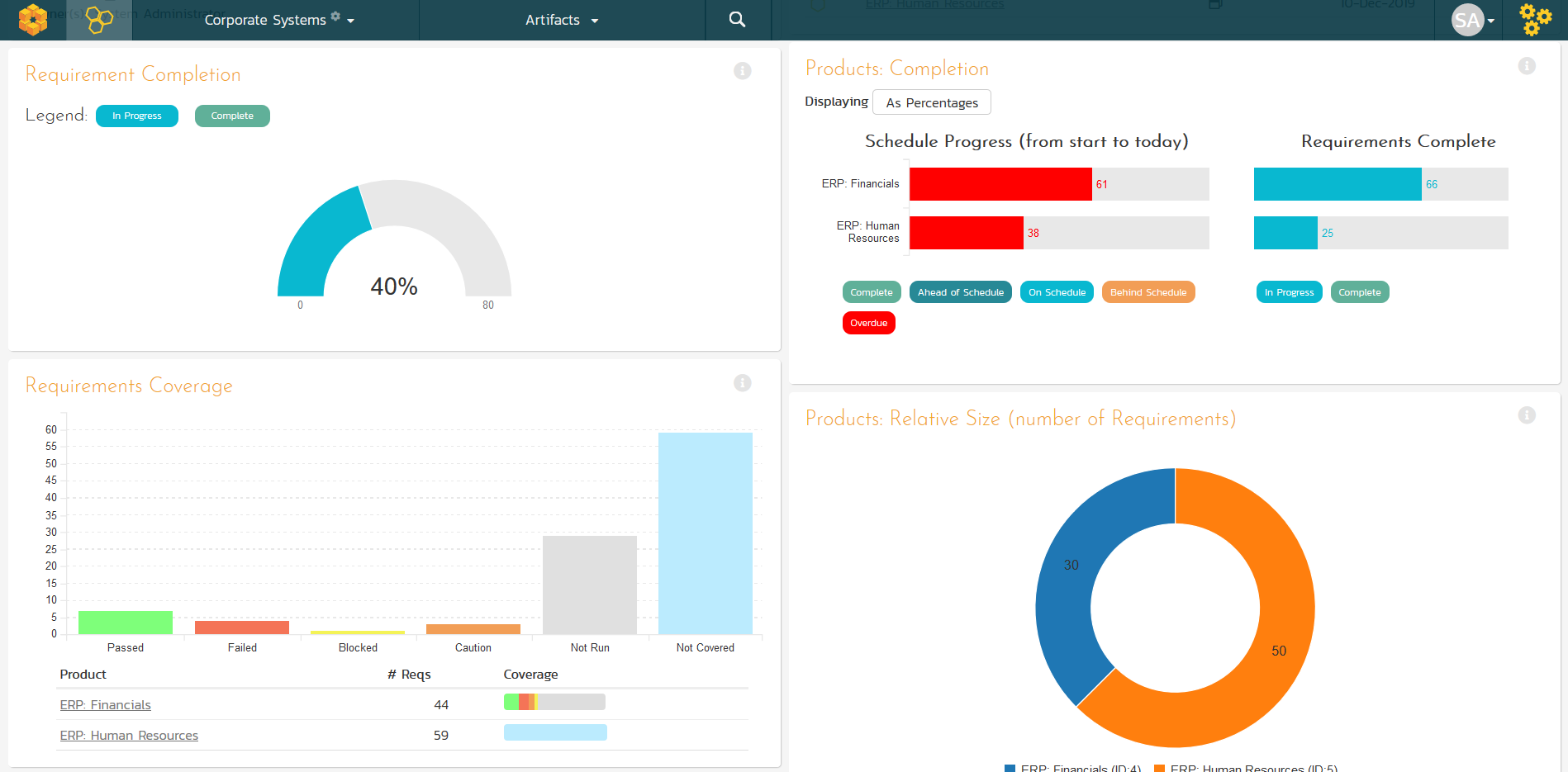
SpiraPlan includes rich Project Portfolio Management (PPM) functionality that lets you analyze and collectively manage your projects and programs in a centralized place. SpiraPlan provides a platform for assessing the issue resolution and risk mitigation of your portfolios, as well giving you centralized visibility to help you plan and schedule you teams. SpiraPlan lets you identify the fastest, cheapest, and most suitable approach to deliver your projects and programs.
Program Planning
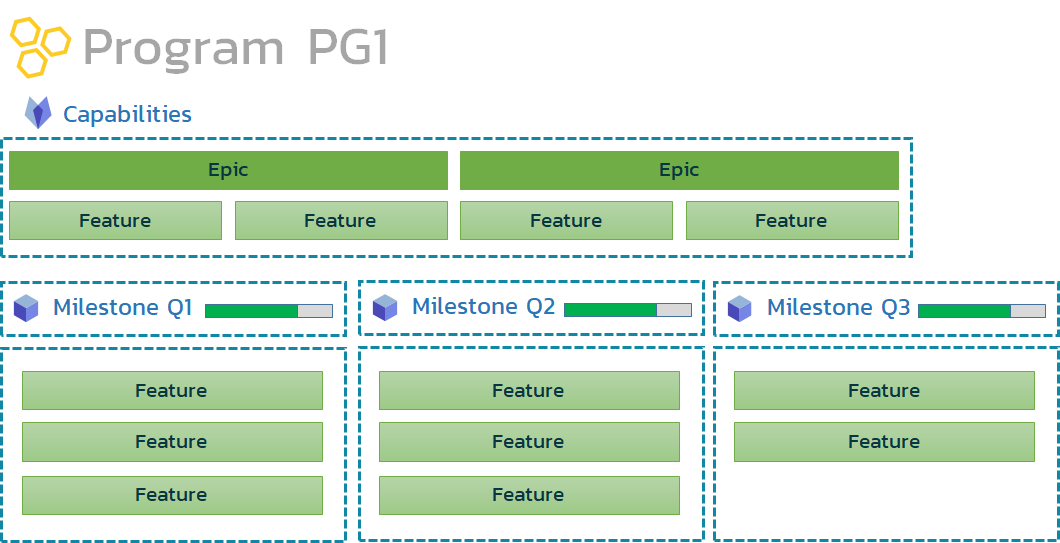
SpiraPlan lets you manage large-scale agile programs and solutions. SpiraPlan provides the ability to create and manage program capabilities that are tracked against program-wide milestones. This lets you manage the delivery of features and releases across multiple products, with the ability to connect them to the overarching program capability and business value.
Requirements Management
Requirements Management
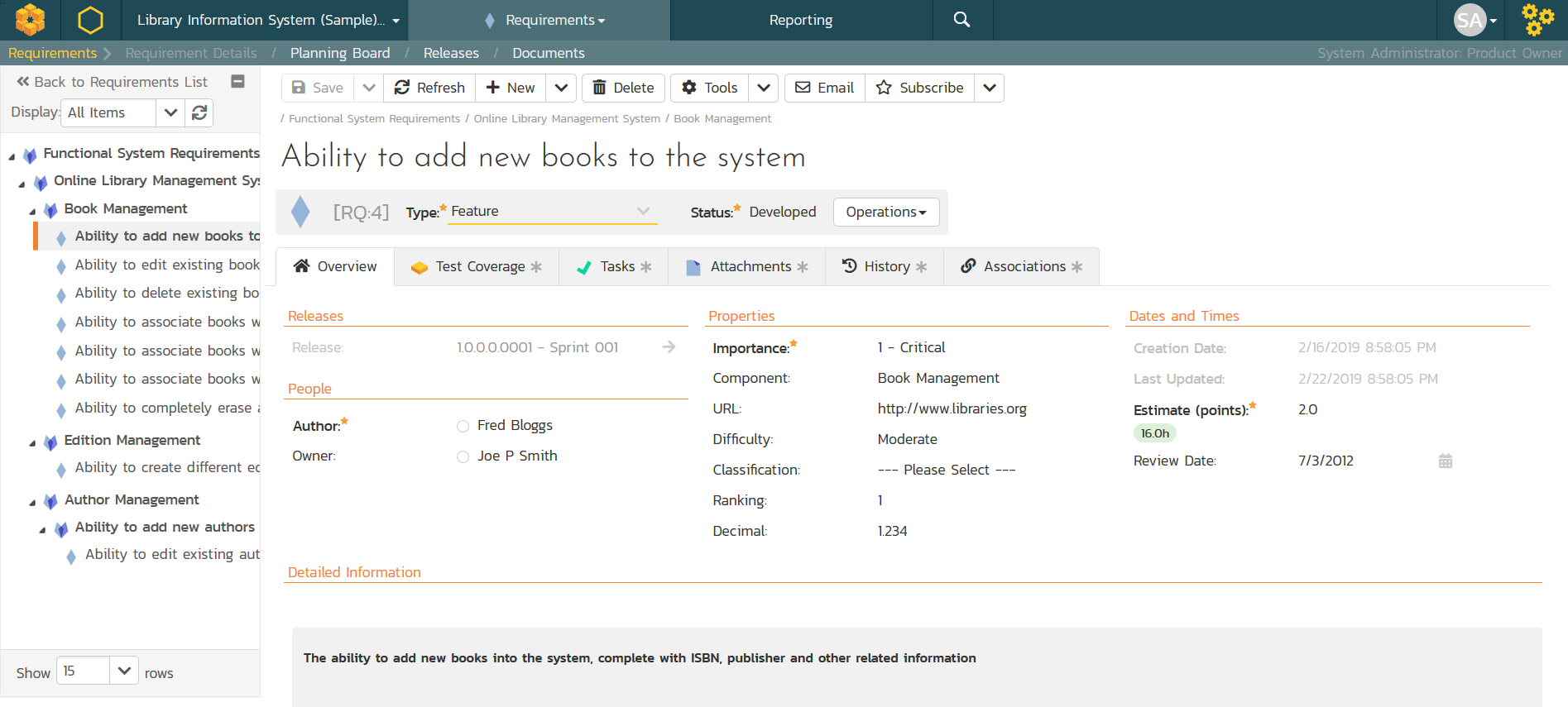
SpiraPlan lets you easily manage your requirements and user stories in an integrated requirements matrix. These requirements can be validated with the end customer and then elaborated into more detailed tasks that can be used as the basis for development.
Baselining
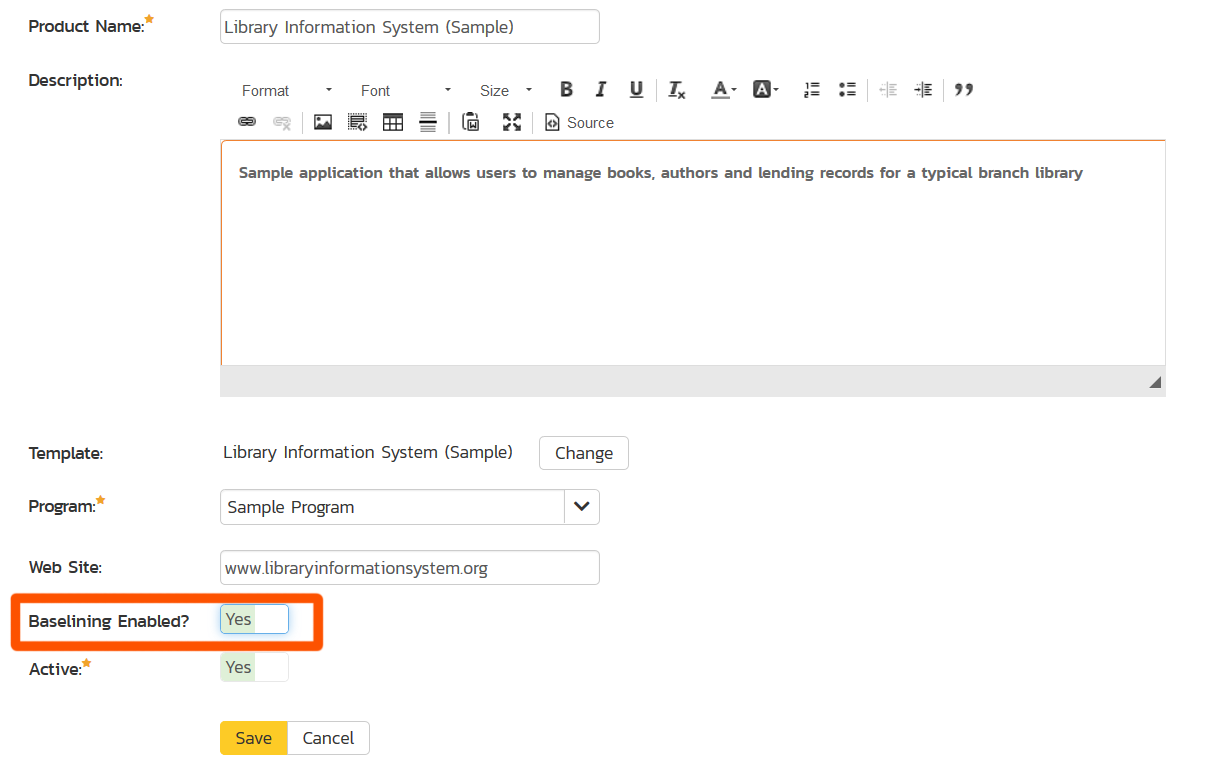
SpiraPlan provides powerful baseline management features that allows you to have robust configuration management and version control of the artifacts in your projects and products. This makes SpiraPlan especially well suited for managing requirements, test cases and other artifacts on more complex systems and engineering projects.
Artificial Intelligence
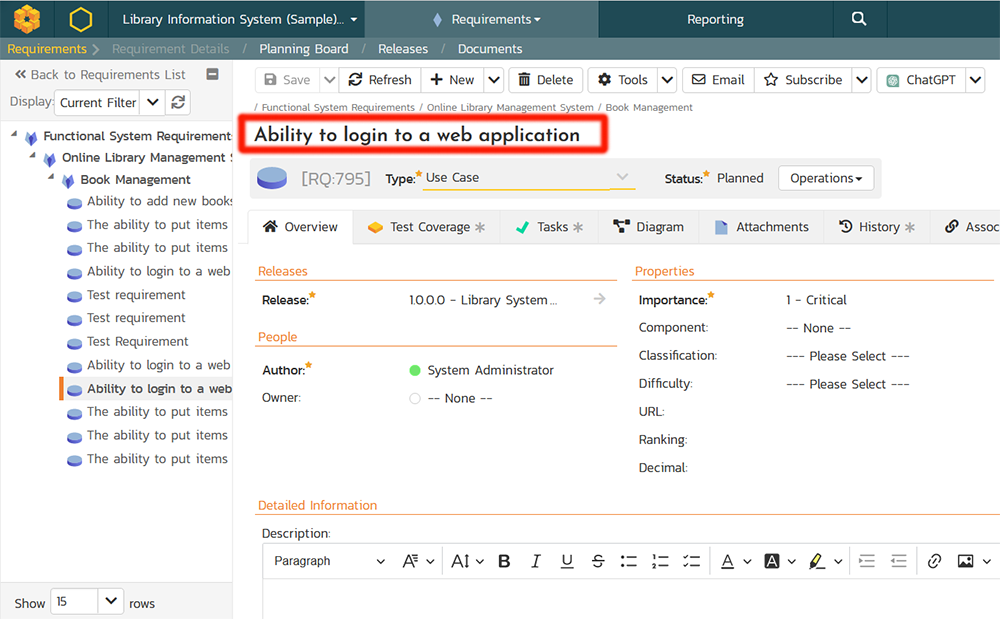
SpiraPlan's artificial intelligence functionality empowers you to automate the creation of essential project artifacts from requirements, such as user stories, features, epics, and business/system requirements. It allows you to quickly generate a set of standard test cases, tasks, risks, and BDD scenarios that can then be refined and improved as needed. We have versions that use both the public OpenAI GPT models and private Azure OpenAI LLMs.
Release Planning
Release Planning
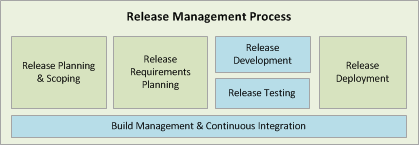
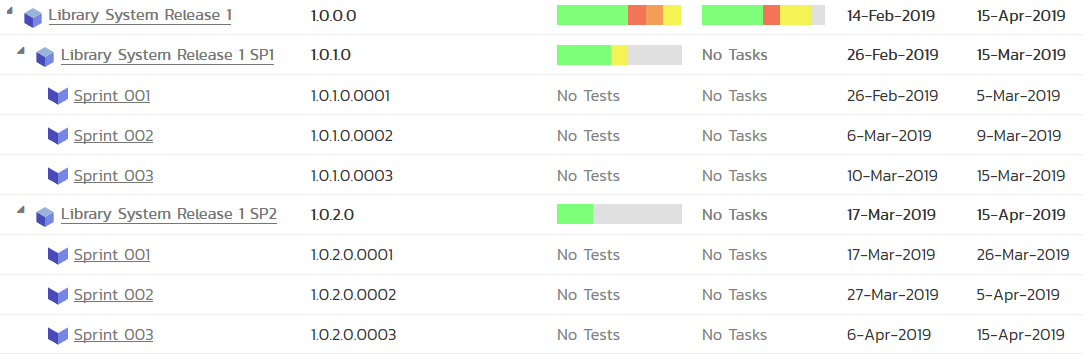
SpiraPlan provides the ability to manage the list of releases / versions of the software being developed. Each of the releases can be broken down into smaller units of work called Iterations or Sprints. SpiraPlan includes integrated resource estimation capabilities so that you can plan out the team size needed for each iteration.
Iteration/Sprint Planning
Once you have defined the project backlog of requested features (requirements), SpiraPlan lets you plan the work to be accomplished in each Iteration/Sprint. You can include requirements, tasks and defects - allowing you to determine the schedule impact of addressing critical issues as well as pre-planned features.
Planning Board
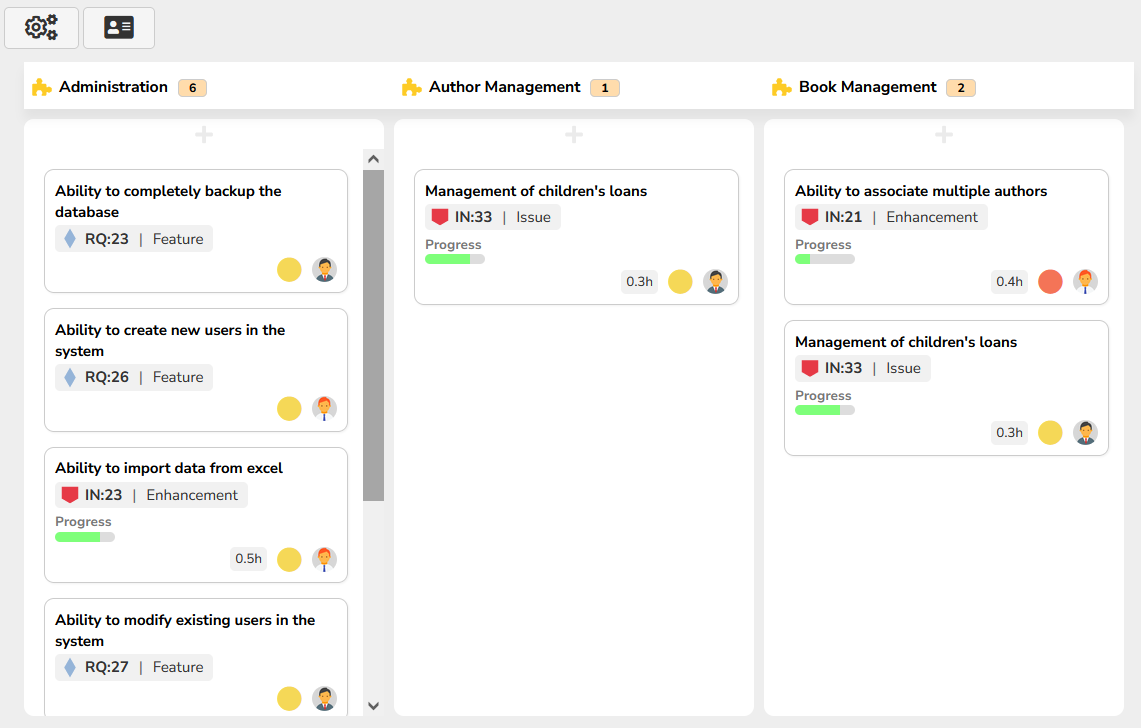
Once the project is underway, the combined business and technical team work together to develop the sprint plan for the iterations, breaking up the features into discrete tasks and assigning the tasks to the individual team members. During development as the team work to complete the various tasks and stories, the system will track changes in the actual effort to determine if the plan needs to be rebalanced to ensure on-time, on-budget delivery.
Task Management
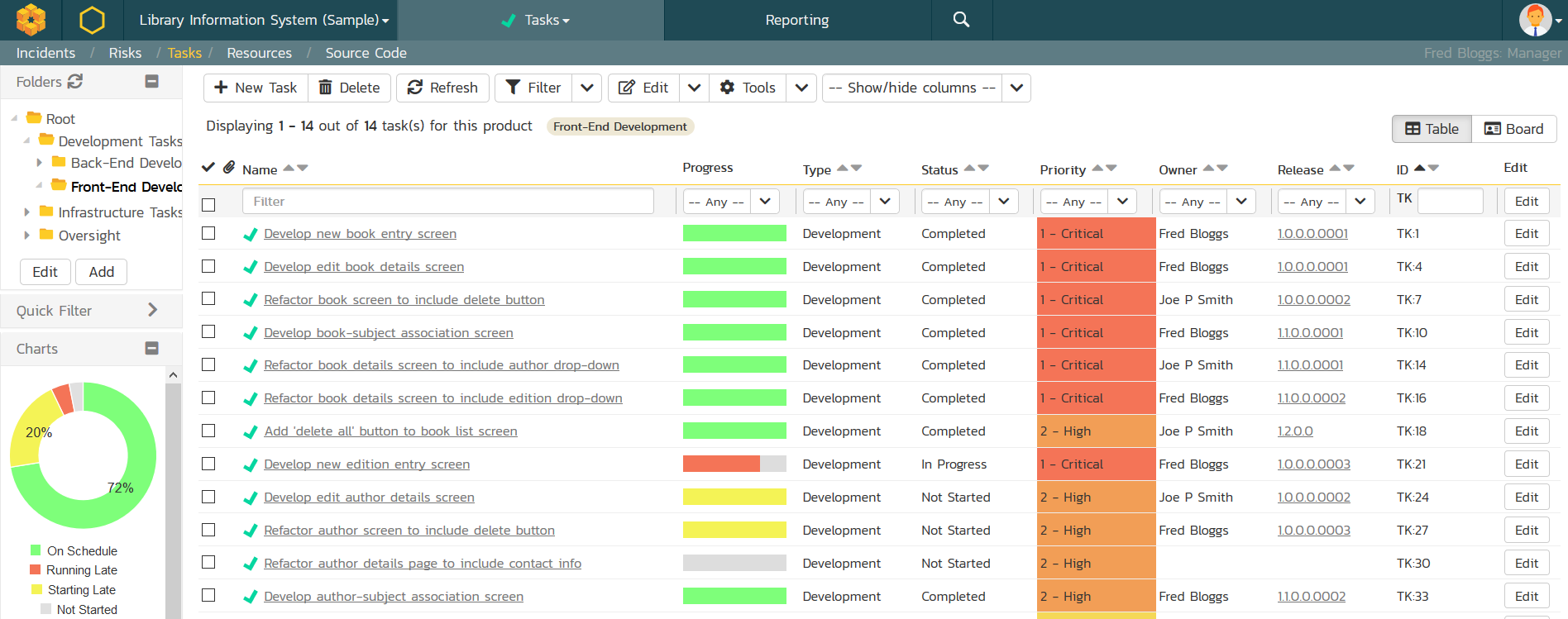
SpiraPlan includes a robust task management system that lets users define tasks, categorize into types, organize by folder, assign to team members, and track the progress until completion.
Quality Assurance
Test Case Management Tools & Software
Tired of managing your project requirements and test cases in documents and spreadsheets? Empower your testing team and throw off the shackles of outdated methods. SpiraPlan offers unparalleled functionality and usability combined with our award-winning technical support. Available as an on-premise installation or hosted service to fit your needs.
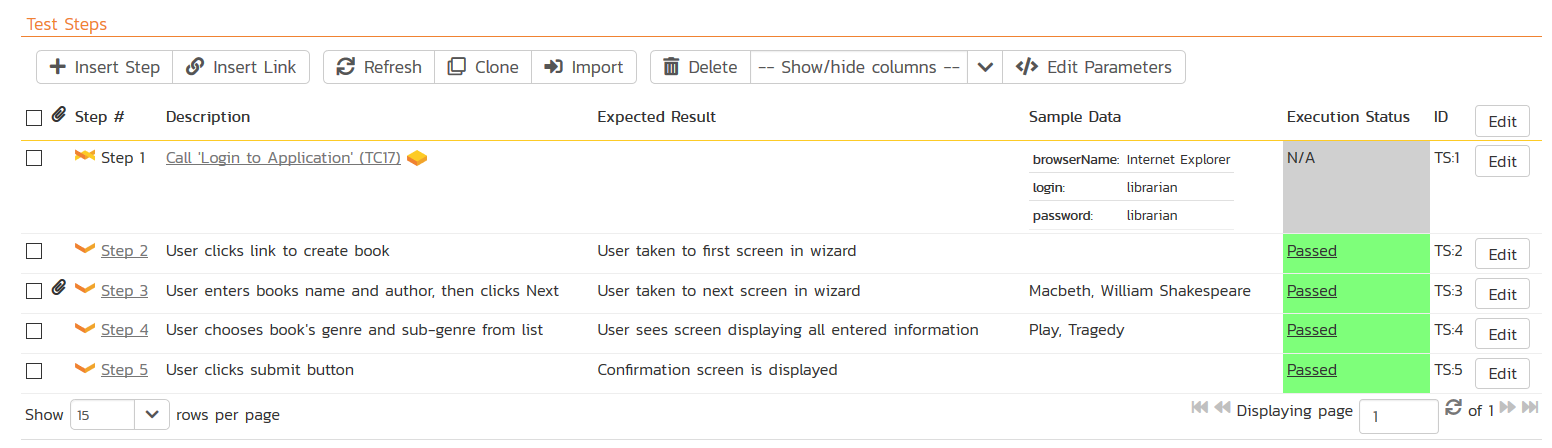
What is Manual Testing for Software?
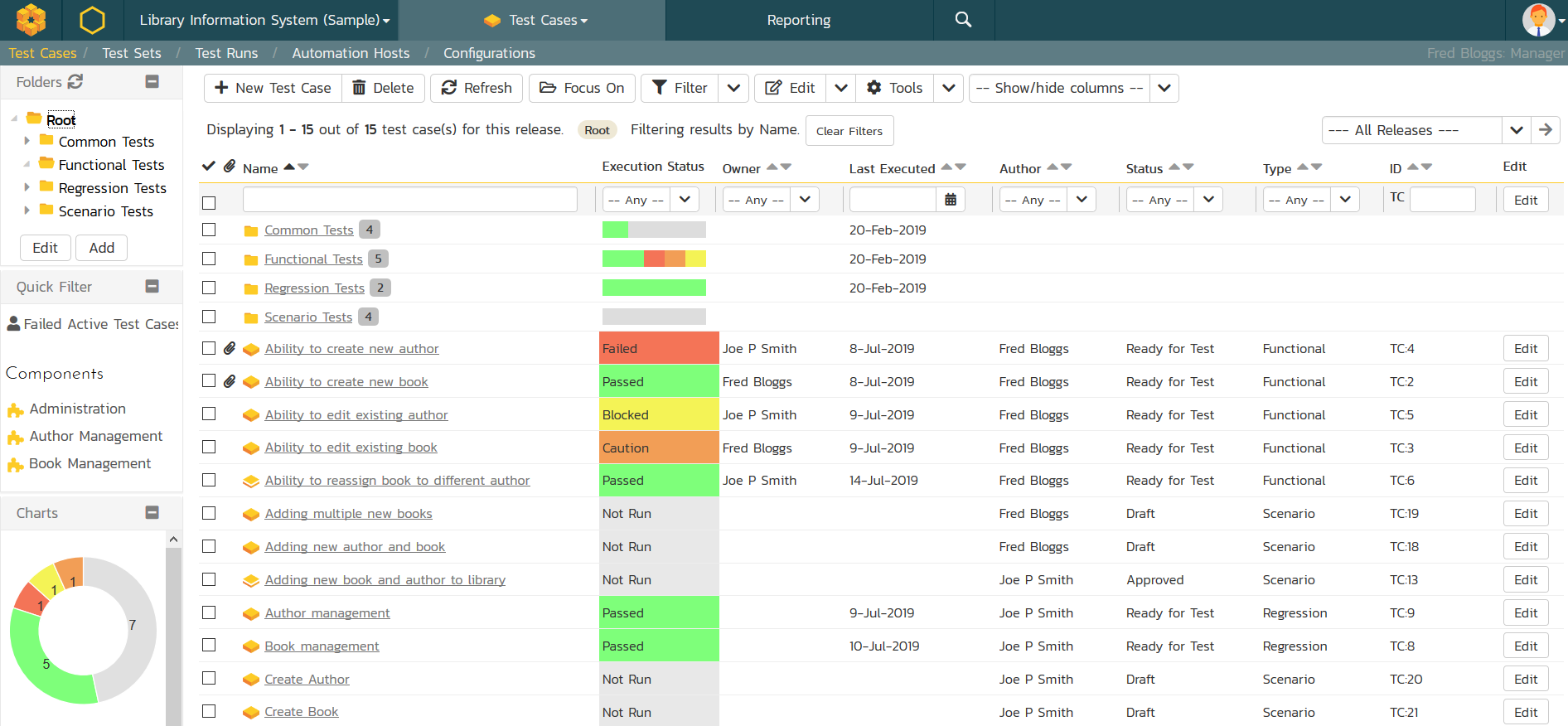
SpiraPlan provides the ability to execute groups of test cases using an easy-to-use test execution wizard that allows you to mark each step as pass/fail and optionally record a bug / defect. This provides complete traceability from a recorded defect to the underlying requirement.
Automated Testing
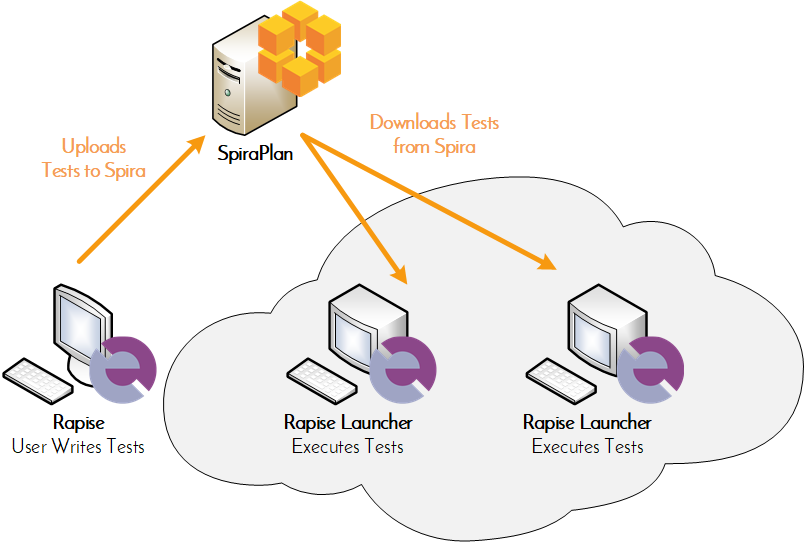
Wish you could manage your automated testing in the same environment as your manual testing? With RemoteLaunch for SpiraPlan you can setup automated test cases in SpiraPlan and schedule them against a master list of automation hosts for execution on either the local computer or remote machines. Available Plug-ins include: QuickTest Pro, TestComplete, Squish, Selenium and Command-Line.
Exploratory Testing
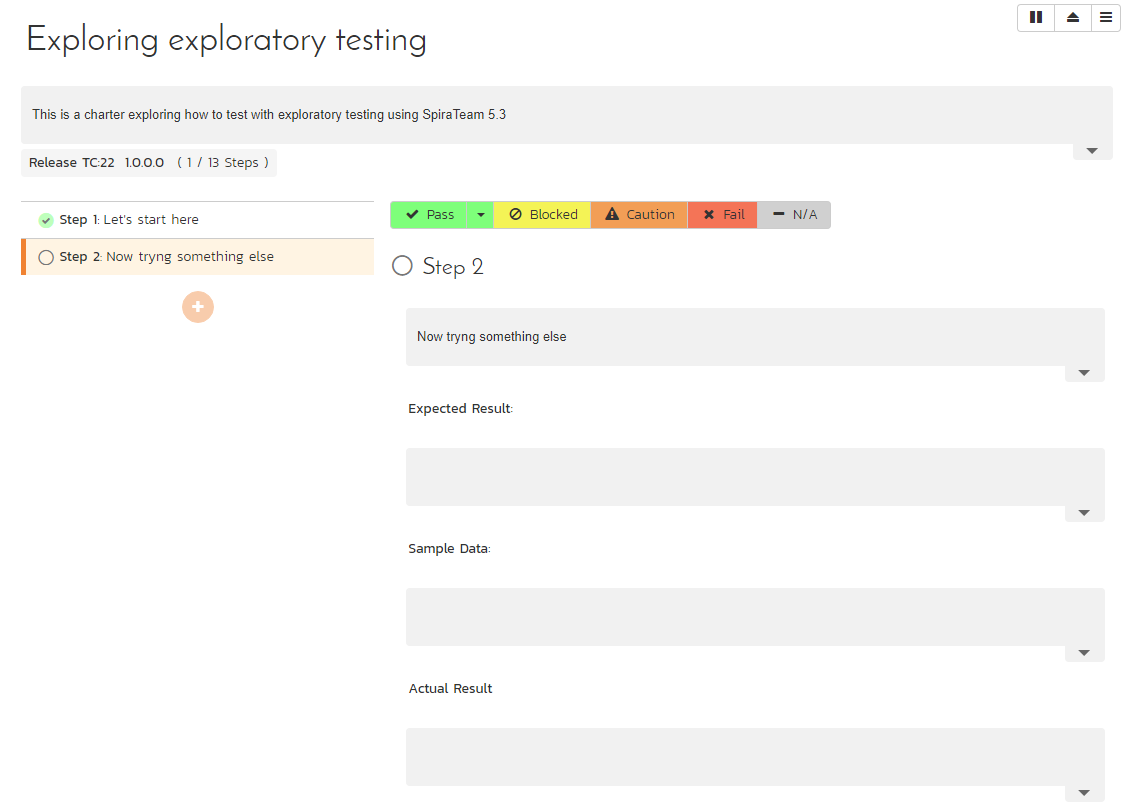
SpiraPlan includes a dedicated exploratory testing mode where you can create and edit your tests on the fly during testing. It also includes tools for tracking follow-up activities between the developers and testers.
Software Development
Bug Tracking
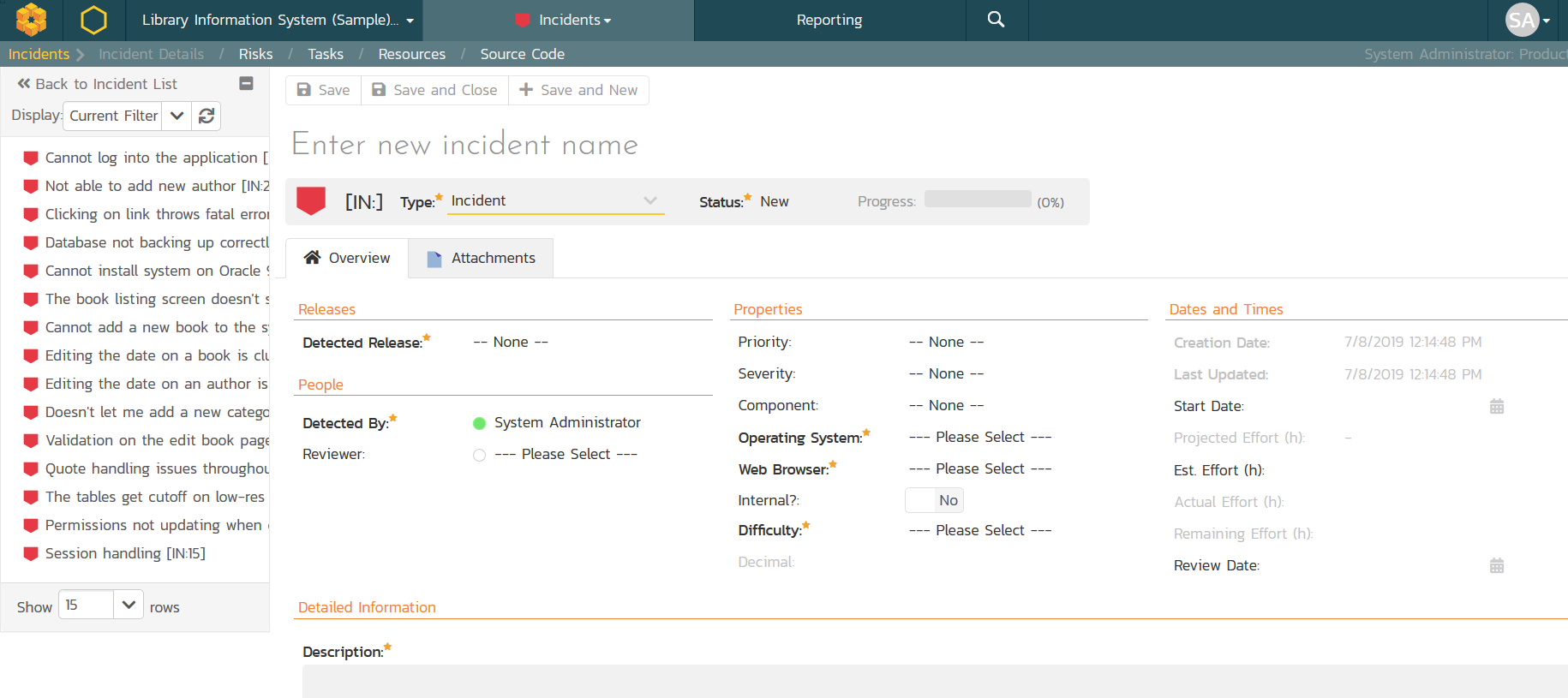
Looking for a better way to track bugs and issues? SpiraPlan offers a complete bug tracking solution that is fully integrated with your planning system. Bug tracking features include support for customizable workflows and fields, flexible reporting, configurable email notifications, and fully editable statuses, priorities, severities and bug types.
Source Code Management
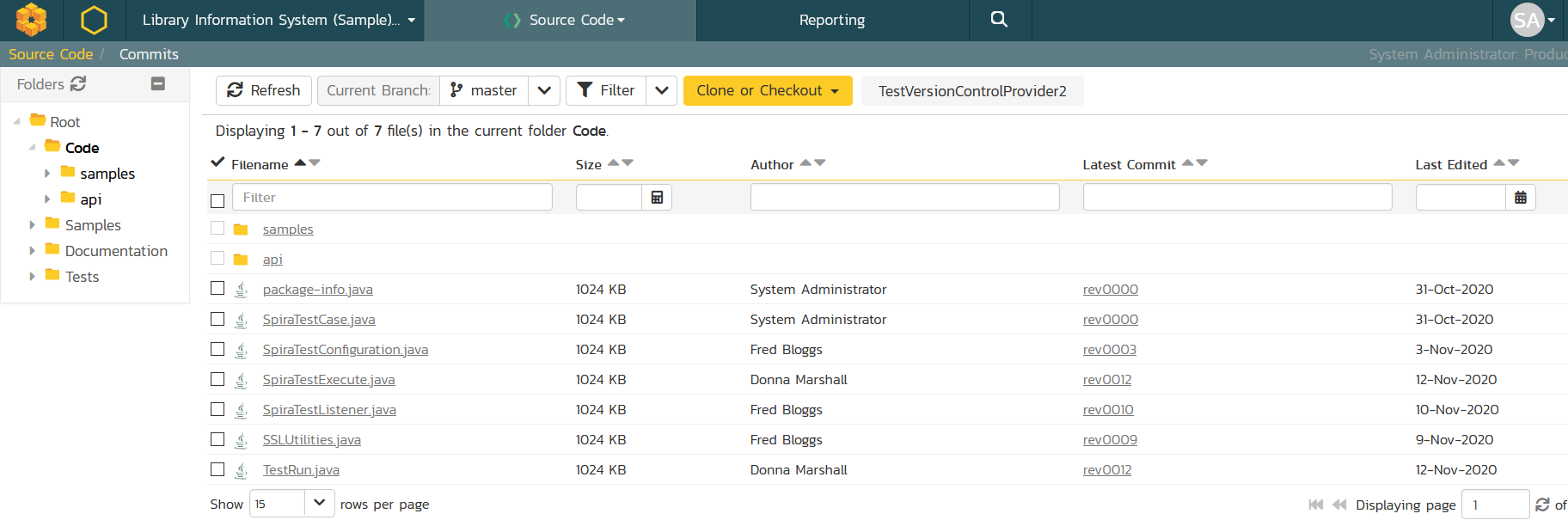
SpiraPlan includes powerful Software Configuration Management (SCM) tools with the system so that you can connect and browse source repositories within SpiraPlan. In addition you can link commits in the code repositories to other artifacts in SpiraPlan to provide code-level traceability of changes. This functionality will allow the system to track the code changes that are associated with Requirements (stories) that have been implemented, Tasks that have been completed or Incidents (defects) that have been fixed. This gives unparalleled traceability across the development lifecycle.
Build Management
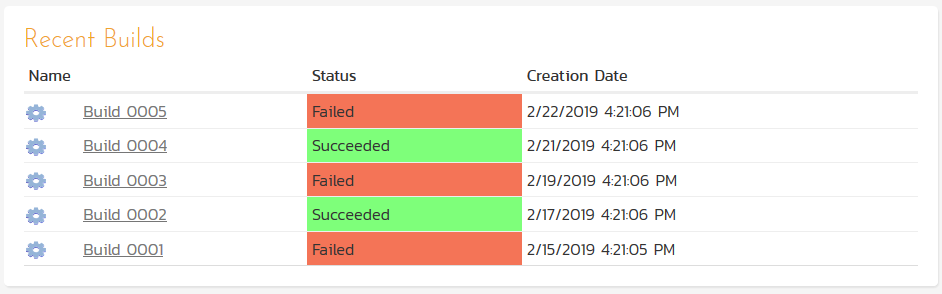
SpiraPlan provides the ability to integrate with continuous integration build servers such as Hudson and CruiseControl so that the status of builds can be recorded in SpiraPlan and linked to source code revisions and incidents. This provides traceability for each build, so that you can see what was changed in each build, what was tested and what was fixed.
Pull Requests & Code Reviews
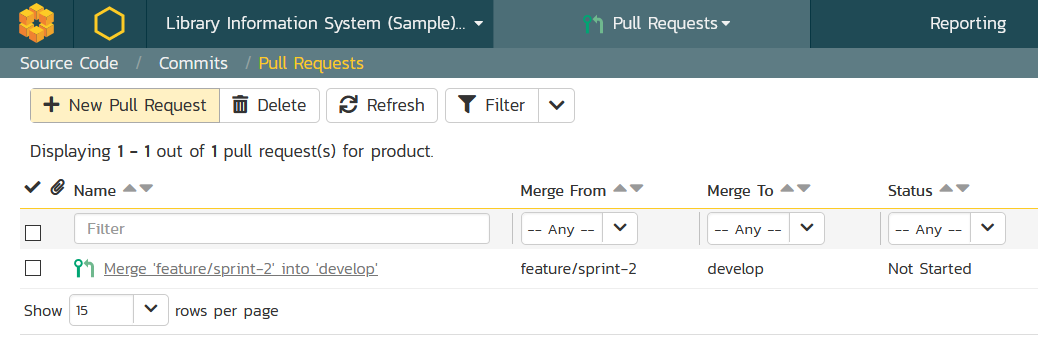
SpiraPlan lets you manage your software development activities and workflows with ease. You can create pull requests (also known as merge requests) to track code branches ready for review. Using the tracking and commenting features, developers can collaboratively review the code and approve the merge into the main development branches.
IDE Integration
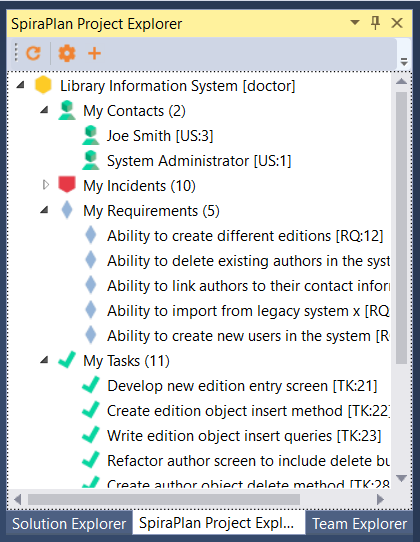
Developers responsible for developing the software code typically need to work in powerful IDEs that are appropriate to the type of the software being developed. Therefore to maximize efficiency and improve productivity, developers can now access their SpiraPlan information directly within their existing IDE. For Visual Studio, there is an Add-In that snaps into the existing Solution Explorer, adding a project explorer that displays the assigned requirements, tasks and incidents. You can open up any of the artifacts in the main viewing pane and act on them accordingly. For Eclipse users, we have used the Mylyn task-focused interface to deliver SpiraPlan information directly into the Mylyn task repository so that using SpiraTeam is as familiar as any other part of the Eclipse environment.
Risk Management
Risk Management
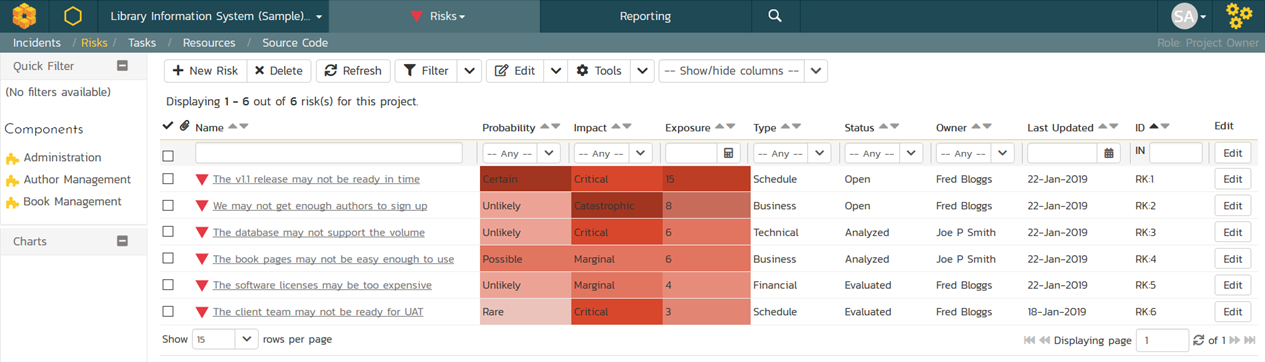
SpiraPlan includes an enterprise risk management system that is fully integrated with the requirements and project management features of SpiraPlan. The risk management module lets you identify, analyze, treat, and monitor risks with support for risks, mitigations, tasks and risk cubes.
Reporting & Analytics
Reporting
SpiraPlan includes an extensive library of printable reports and graphical charts. The reports can be customized through extensible XML based report templates. The supported report formats include: MS-Word, MS-Excel, HTML, Adobe Acrobat and MS-Project.
Other
Customization
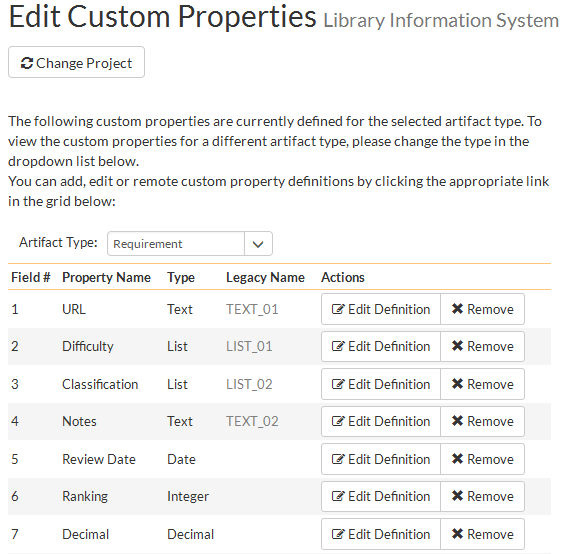
Customization and configuration are critical for ensuring that a system integrates seamlessly your business processes. SpiraPlan can be configured and customized without any coding or scripting. You can create custom properties throughout the system, customize all the incident fields (status, priority, severity, etc.), create customized email templates, and configure custom workflows for managing your lifecycle.
Administration
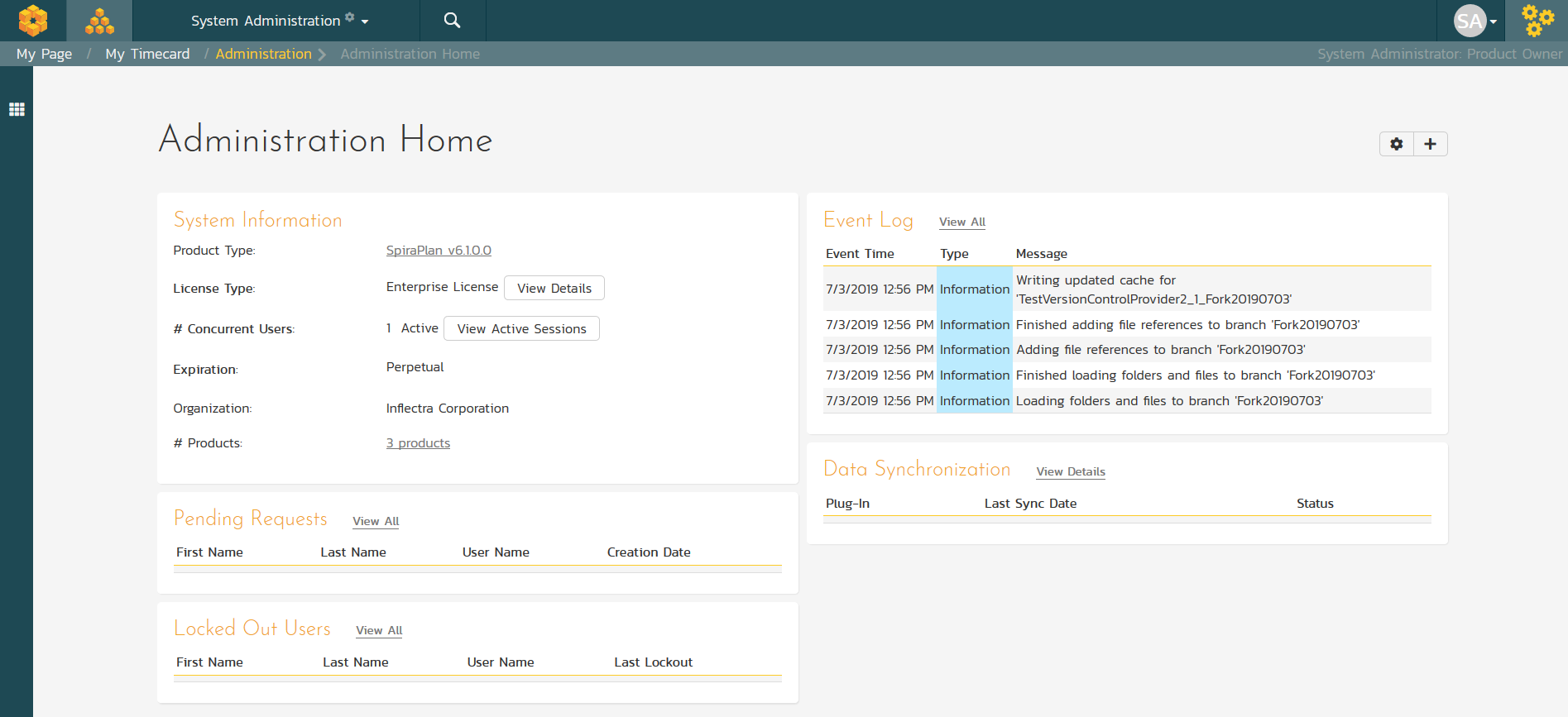
SpiraPlan has an extensive administration capability that can be accessed using just a web-browser. To reduce the burden on IT staff, you can delegate project administration to different users, allowing project managers to be self-sufficient.
Mobile Responsive
SpiraPlan has full support for all mobile and desktop devices with its 100% responsive web interface. SpiraPlan supports all the modern devices and platforms, including iOS (iPhone, iPad), Android, Linux, MacOS and Windows.
Email Integration
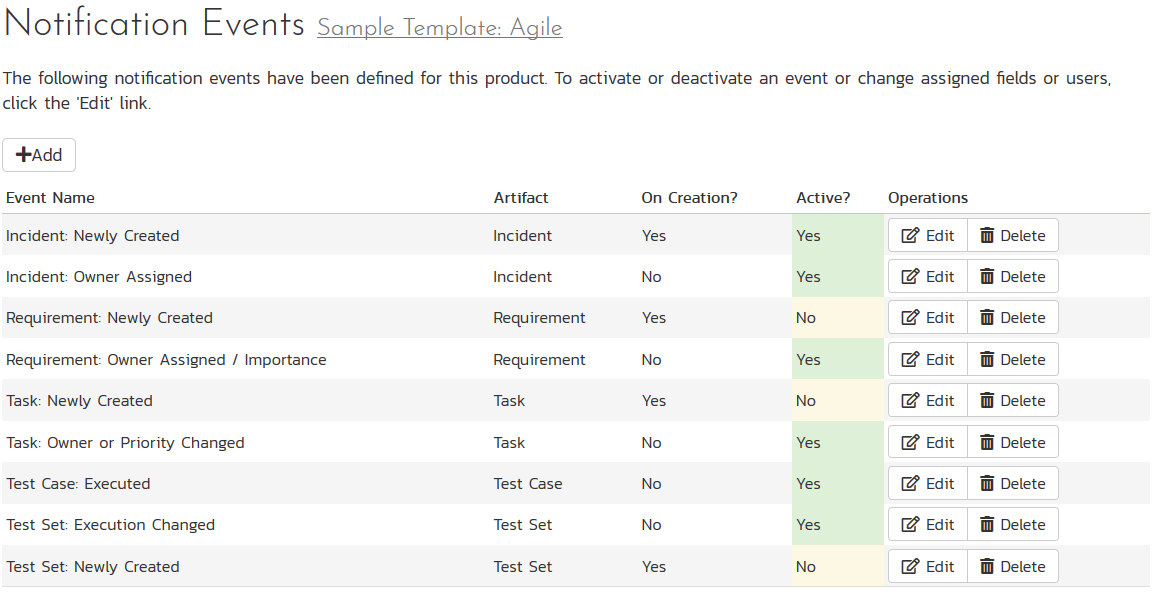
SpiraPlan has powerful email integration capabilities that ensure that all users are notified about changes in the system, and allows users to raise incidents and post comments directly from their email system.
Data Migration
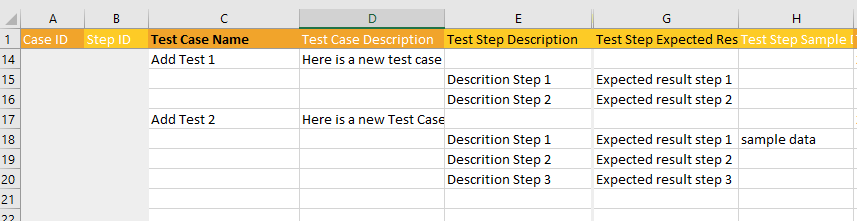
Leverage your existing testing data with SpiraPlan. Using our Add-Ins for Microsoft Word, Excel and Project you can easily import requirements, test cases, releases and incidents from your existing templates. In addition SpiraPlan comes with an import wizard for easily migrating from HP Quality Center or Mercury TestDirector.

Feature Checklist
Review the complete feature list that shows you why SpiraPlan is your best choice for agile project management.
Try SpiraPlan free for 30 days, no credit cards, no hassle
Start My Free TrialAnd if you have any questions, please email or call us at +1 (202) 558-6885